CodeSplash AI 2.4.35
CodeSplash AI 2.4.35 is a small patch, but it fixes a real admin workflow.
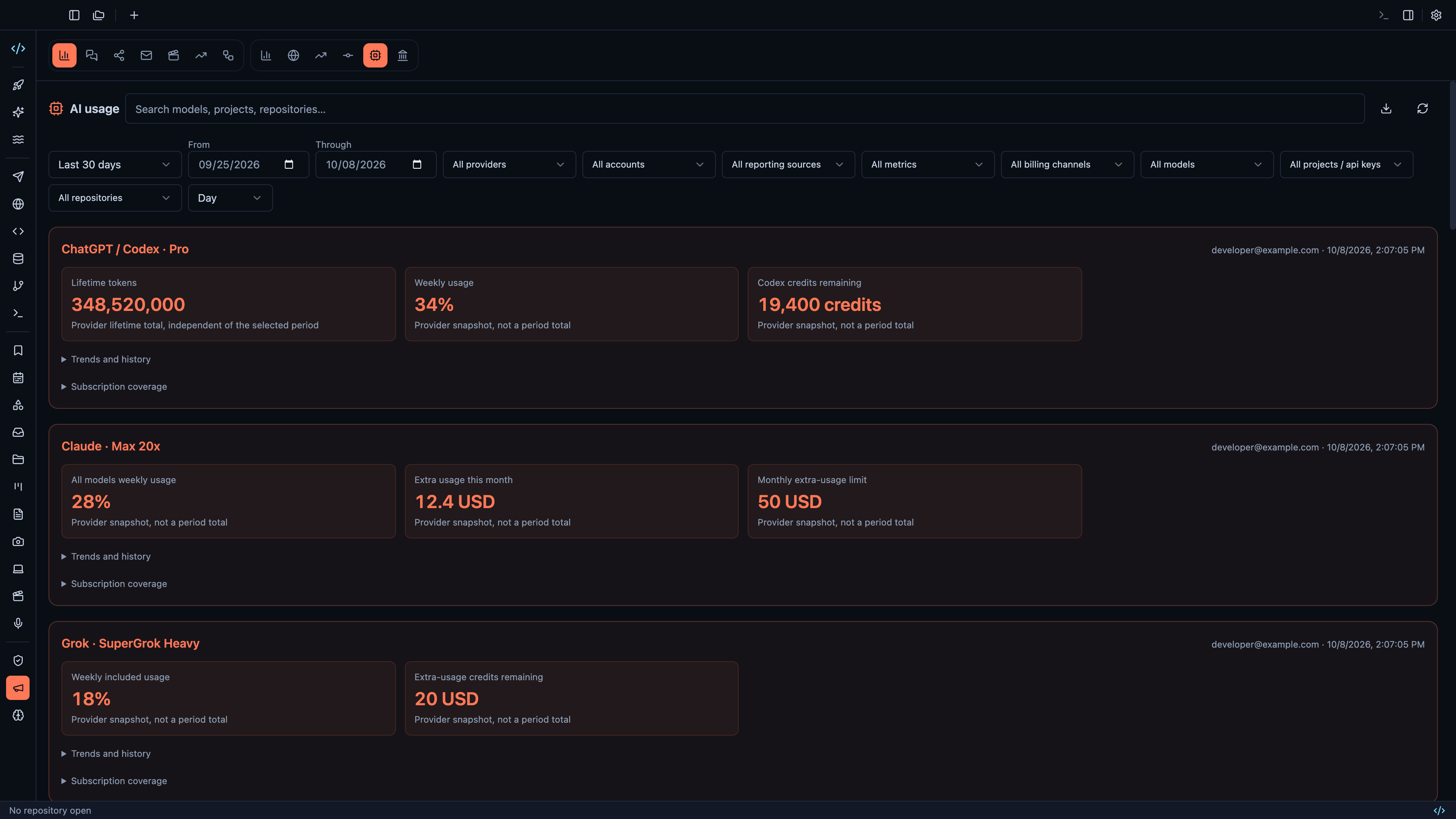
The main change is in Marketing admin: you can now connect personal AI subscriptions from OpenAI, Anthropic, and xAI / Grok, then review subscription snapshots, usage trends, and stored reporting history in one place. If you track provider usage over time, that matters more than a broad UI refresh.
Before this patch, provider coverage and historical reporting were thinner. In 2.4.35, the Marketing AI admin panel adds the connection flow, keeps track of pending connection state, stores subscription auth for ongoing reporting, and shows reporting history so you can come back to the same provider view later instead of rebuilding it each time.
What changed in Marketing admin
The biggest practical improvement is cross-provider visibility.
In the updated Marketing AI admin panel, you can now:
- connect OpenAI
- connect Anthropic
- connect xAI / Grok
- review subscription snapshots for connected accounts
- inspect usage trends over time
- revisit stored reporting history
This is admin reporting work, so the value is straightforward: less guesswork when you need to understand what a connected account looked like, what plan it was on, and how its usage metrics changed across reporting periods.
The panel also got clearer subscription metrics, broader provider coverage, and better connection state handling. That includes the cases where a connection is still in progress, not just the happy path where an account is already linked and reporting cleanly.
xAI / Grok joins the provider list
The new provider here is xAI / Grok.
OpenAI and Anthropic were already part of the conversation around Marketing AI usage, and 2.4.35 extends the admin flow so xAI / Grok can be connected and reported alongside them. That means the provider list is now consistent across the supported personal AI subscription reporting workflow instead of stopping short when a team needs visibility into Grok usage.
If you manage reporting across multiple personal AI subscriptions, this saves a manual gap. You can look at provider snapshots and trends in the same admin surface instead of splitting that work across separate provider dashboards.
A small billing fix that protects old data
This release also fixes a narrow but useful reporting bug: very small OpenAI historical charges are now preserved when returned in exponent format.
That sounds tiny because it is tiny. But tiny values still count if you rely on historical billing records and want the reporting layer to keep what the provider returned instead of rejecting it during parsing.
In practical terms, 2.4.35 reduces the chance that older OpenAI cost data disappears just because a charge came back in scientific notation. The fix is simple: keep the charge instead of dropping it.
Better support for ongoing subscription tracking
A lot of the work in this patch is there to make reporting hold up over time.
The release adds:
- stored subscription auth
- pending connection state
- reporting history
Those pieces matter because subscription reporting is not a one-time import. You connect a provider, collect data, and return later to compare periods, check the latest snapshot, or verify that reporting is still healthy. This patch makes that ongoing workflow more reliable.
If you use Marketing admin regularly, you should notice that the panel is less of a temporary view and more of a persistent reporting surface.
Internal capture verification also got tighter
The other improvement in 2.4.35 is not a broad product feature, but it is worth noting.
We tightened internal tutorial capture verification with native offscreen 4K rendering checks and better failure diagnostics for media QA. This work improves the reliability of the internal publishing workflow used to verify tutorial and product media captures.
That is mainly for our side of the release process, not a new desktop workflow in the app. Still, it helps us validate product media more consistently and catch failures with better diagnostics when capture runs go wrong.
Why this patch matters
Not every release changes how you code inside the main workspace. This one is aimed at a narrower job: keeping Marketing admin useful for people tracking personal AI subscription reporting across providers.
If that is your workflow, 2.4.35 gives you:
- broader provider connection coverage
- clearer subscription metrics
- stored history for recurring reporting
- a fix for tiny OpenAI historical charge handling
If you use the Marketing AI admin workflow, update to 2.4.35 and check your connected provider reporting after the upgrade.
You can get the latest build from codesplash.ai/downloads.
Try 2.4.35 and reply with feedback if your team uses the Marketing admin reporting flow.
Feature screenshots
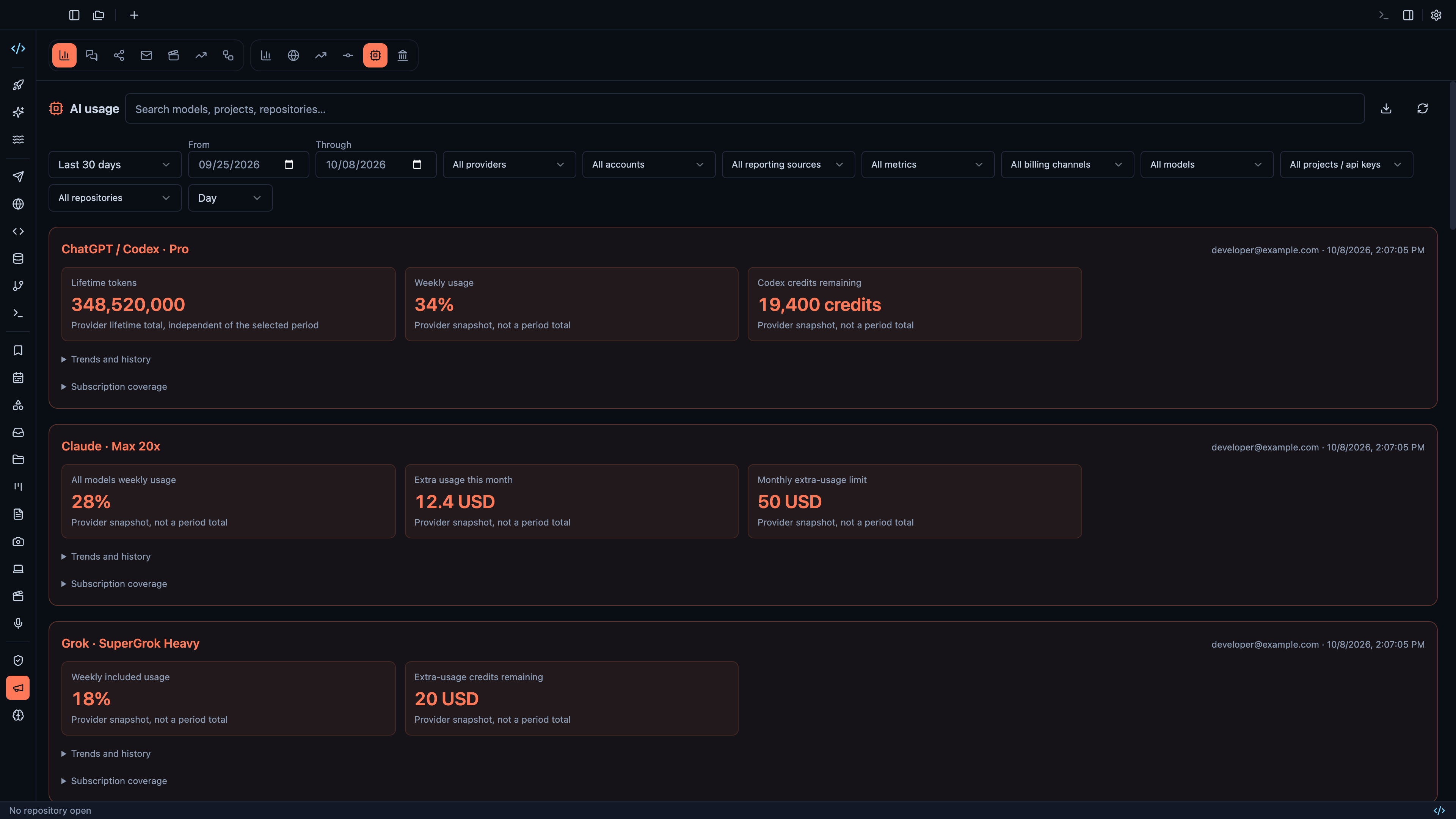
Compare AI token usage across providers, models and repositories · View original full-resolution image
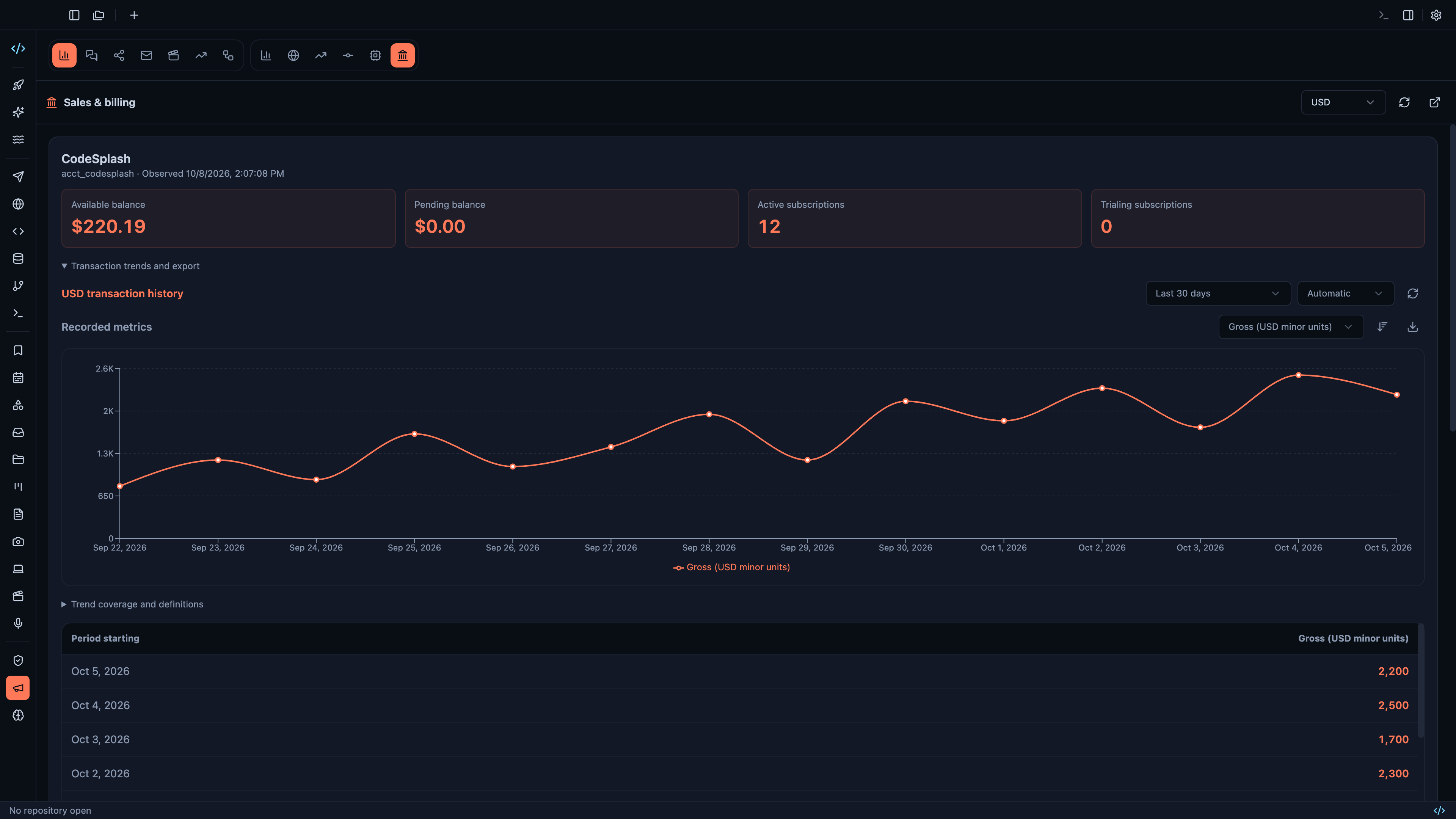
Review weekly and lifetime sales beside transaction trends · View original full-resolution image
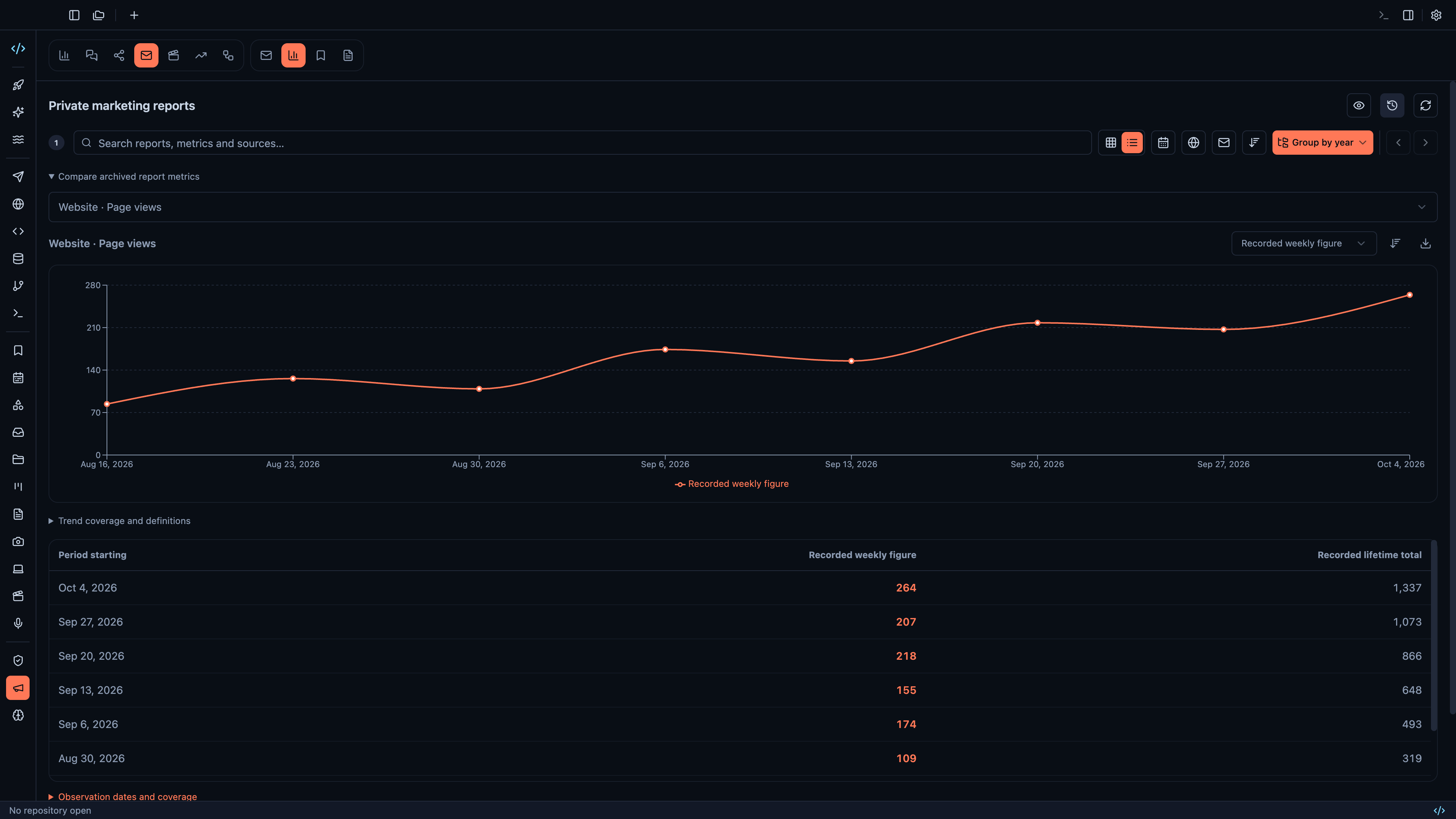
Search private reports and compare archived weekly and lifetime metrics · View original full-resolution image
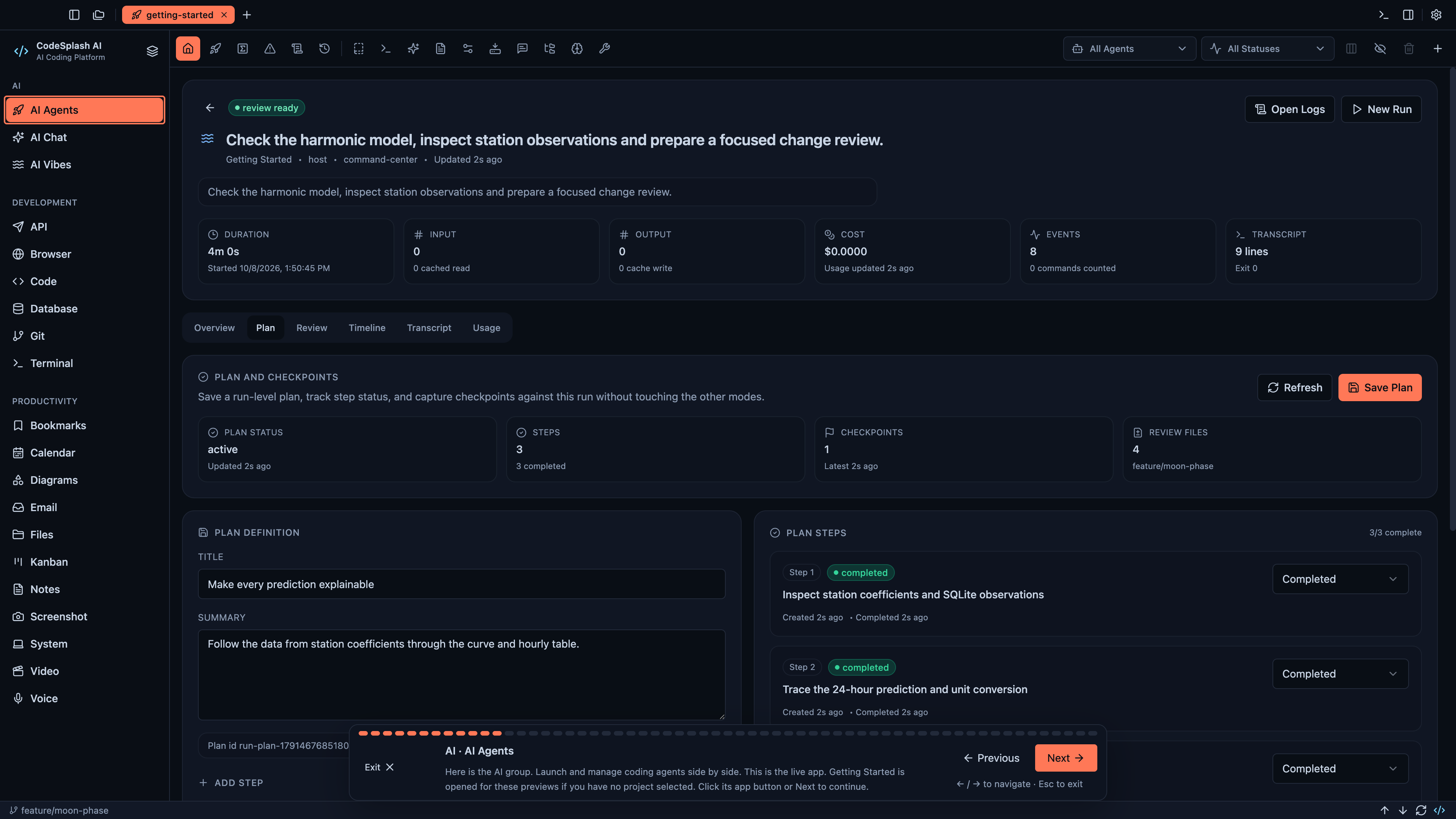
AI · AI Agents · View original full-resolution image
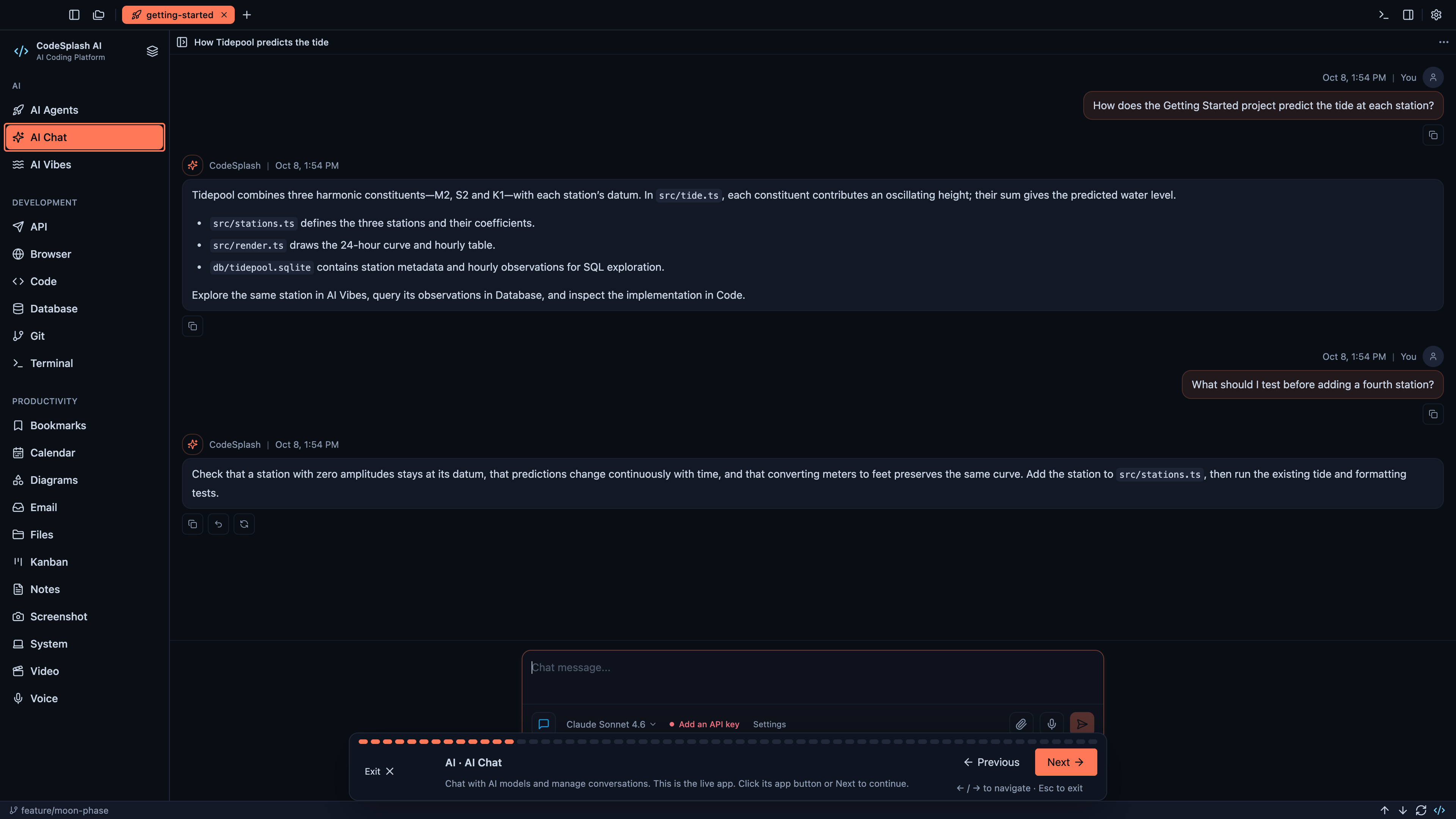
AI · AI Chat · View original full-resolution image