CodeSplash AI 2.4.34
The most important change in 2.4.34 is not a new workspace feature. It is a release guard.
Desktop publication now waits for matching public website release notes before a release goes live. That fixes a real failure mode from 2.4.33, where signed installers were public before the website feed had the right notes for that exact version. In practice, that meant the app could see the new build without seeing the corresponding notes.
In 2.4.34, the release pipeline verifies the public website feed first. If the exact version and source-backed notes are not there yet, desktop publication stays blocked instead of racing ahead. The website feed remains the source of truth for release notes, and the installer build does not get published until that version is actually present there.
For anyone shipping desktop software, this is the kind of patch that prevents confusing edge cases later. A release is not fully shipped if users can install it before the public notes exist.
Release-notes-first workflow
This patch adds a stricter release-notes-first workflow to the desktop release pipeline.
The flow now works like this:
- Build and sign the desktop assets.
- Check the public website feed for the exact version and matching source.
- Publish the desktop release only after those release notes are live.
That is a small change in ordering, but it matters. It removes a race between the desktop release and the website feed, and it keeps one public source of truth for what shipped.
New AI usage reporting in the admin-only Marketing app
Most of the product work in 2.4.34 is in the admin-only Marketing app.
There is now a dedicated AI usage reporting panel for reviewing provider, account, trend, and attribution data in one place. The release notes call out usage facts, trends, attribution mappings, refresh actions, and export-oriented workflows.
That means operators can inspect private usage reporting with more structure instead of stitching it together from separate reporting paths. The panel covers reported usage facts and trends, and it also includes attribution mapping workflows for linking usage dimensions back to repositories.
This release also persists private AI usage reporting across provider connections, collection, storage, and reporting flows. The practical benefit is continuity. Reporting data is not just fetched for a one-off view; it now has durable storage behind the admin surface.
New architecture panel with themed exports
2.4.34 also adds a dedicated private architecture panel in Marketing.
This panel is for reviewing private architecture materials with private architecture atlas support and themed exports. If you are maintaining the internal Marketing workspace, this gives architecture reporting its own place instead of burying it inside broader admin views.
The themed export part matters because these materials are often shared across internal review and presentation workflows. This patch makes that a defined path inside the admin app.
Developer activity reporting got deeper and safer
The other big admin-side change is expanded developer activity reporting.
This patch adds queued GitHub detail collection every six hours and resumable history import. If a longer import needs to continue across runs, it now has a path to resume instead of starting from scratch.
There is also GitHub quota protection in the reporting pipeline. That is an operational fix, but it directly affects reporting reliability. A reporting system that overruns quota during collection is hard to trust, especially when the data is used for activity views and follow-up analysis.
The release also includes follow-up corrections in Marketing activity views, including fixes around bounded account activity and engagement-related reporting. The summary here is simple: the reporting surfaces got broader, and the collection path got more defensive.
CodeSplash AI Brain data updates behind the admin views
This release updates shared CodeSplash AI Brain catalog and presentation policy data used by the admin reporting surfaces.
That is worth calling out because these Marketing views do not stand alone. They depend on shared catalog and policy data, and 2.4.34 keeps those projections in sync with the reporting work.
Who this release is for
2.4.34 is mostly operational and admin-focused. It matters most if you use the admin-only Marketing workspace or care about desktop release reliability.
If you are looking for a broad end-user feature drop across the public workspace apps, this patch is not that. The visible work here is concentrated in private reporting, attribution, architecture review, and the desktop release pipeline.
Updating to 2.4.34
If you run the Marketing admin workflows, the main things to check after updating are:
- the new AI usage reporting panel
- the new private architecture panel
- updated developer and activity reporting views
- the stricter release-notes-first workflow for desktop publication
You can get the latest build from codesplash.ai/downloads.
Try 2.4.34 and reply with feedback if the new admin reporting views or release flow change anything in your process.
Feature screenshots
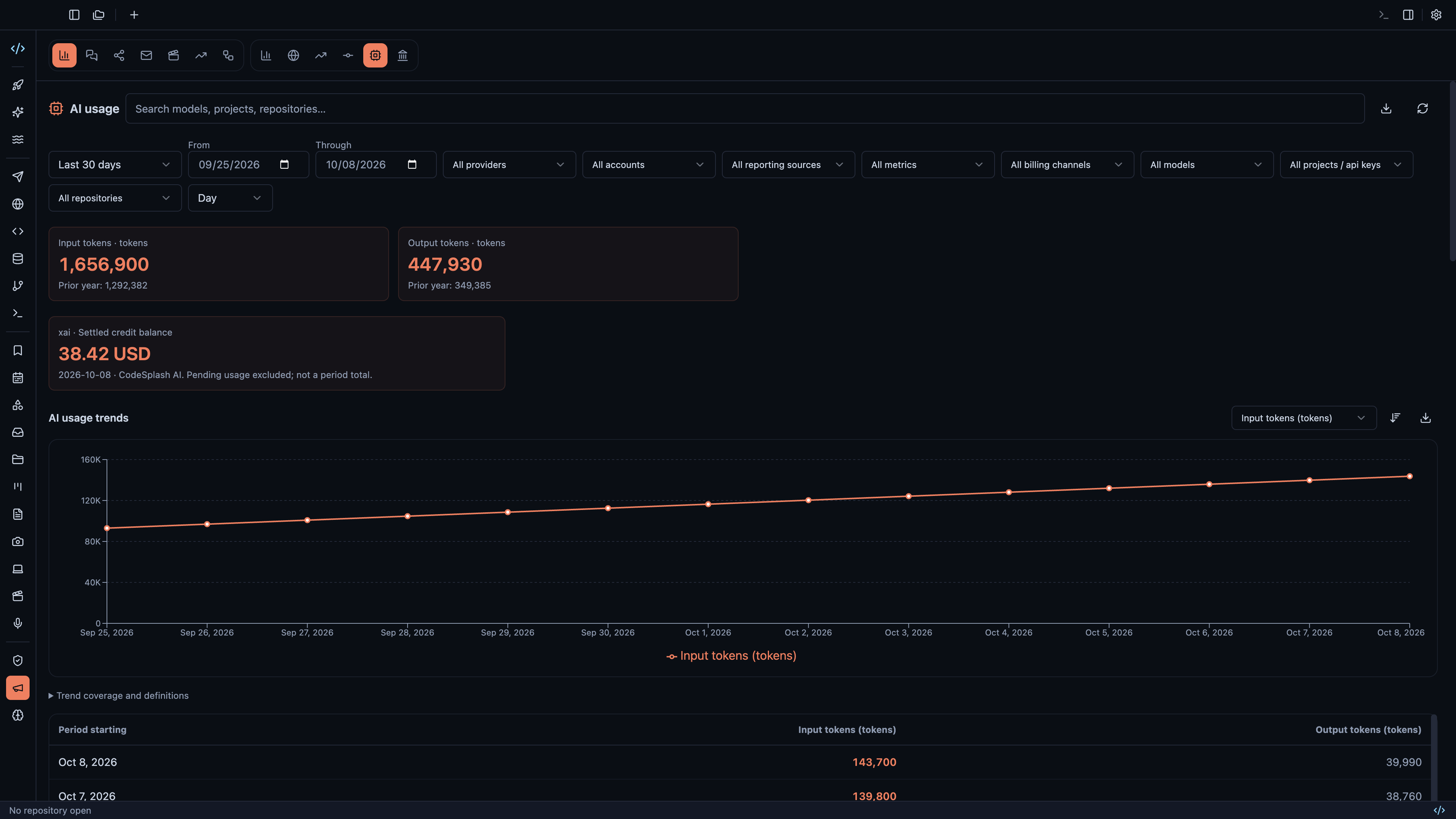
Compare AI token usage across providers, models and repositories · View original full-resolution image
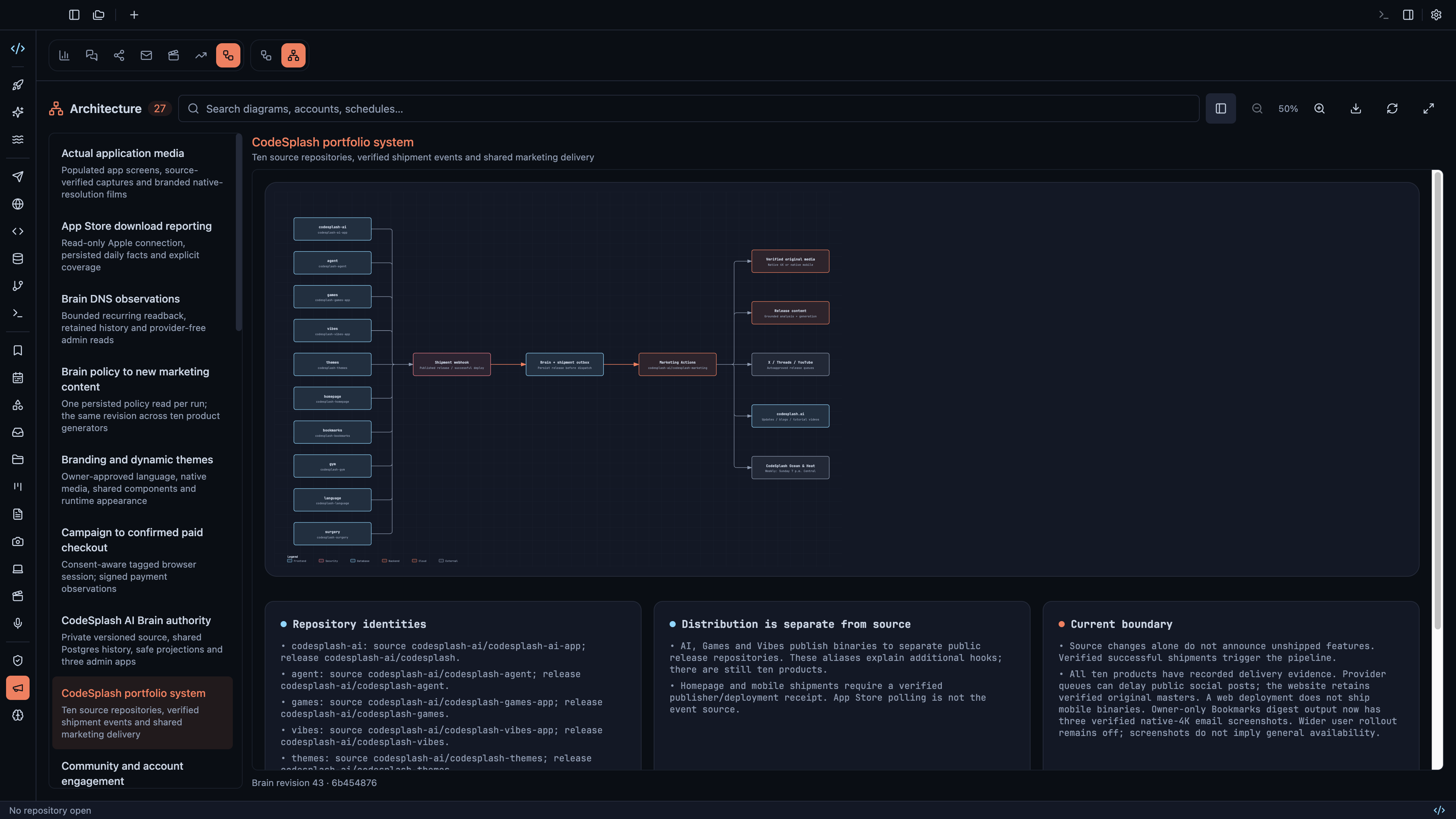
Explore the connected portfolio architecture and export diagrams · View original full-resolution image
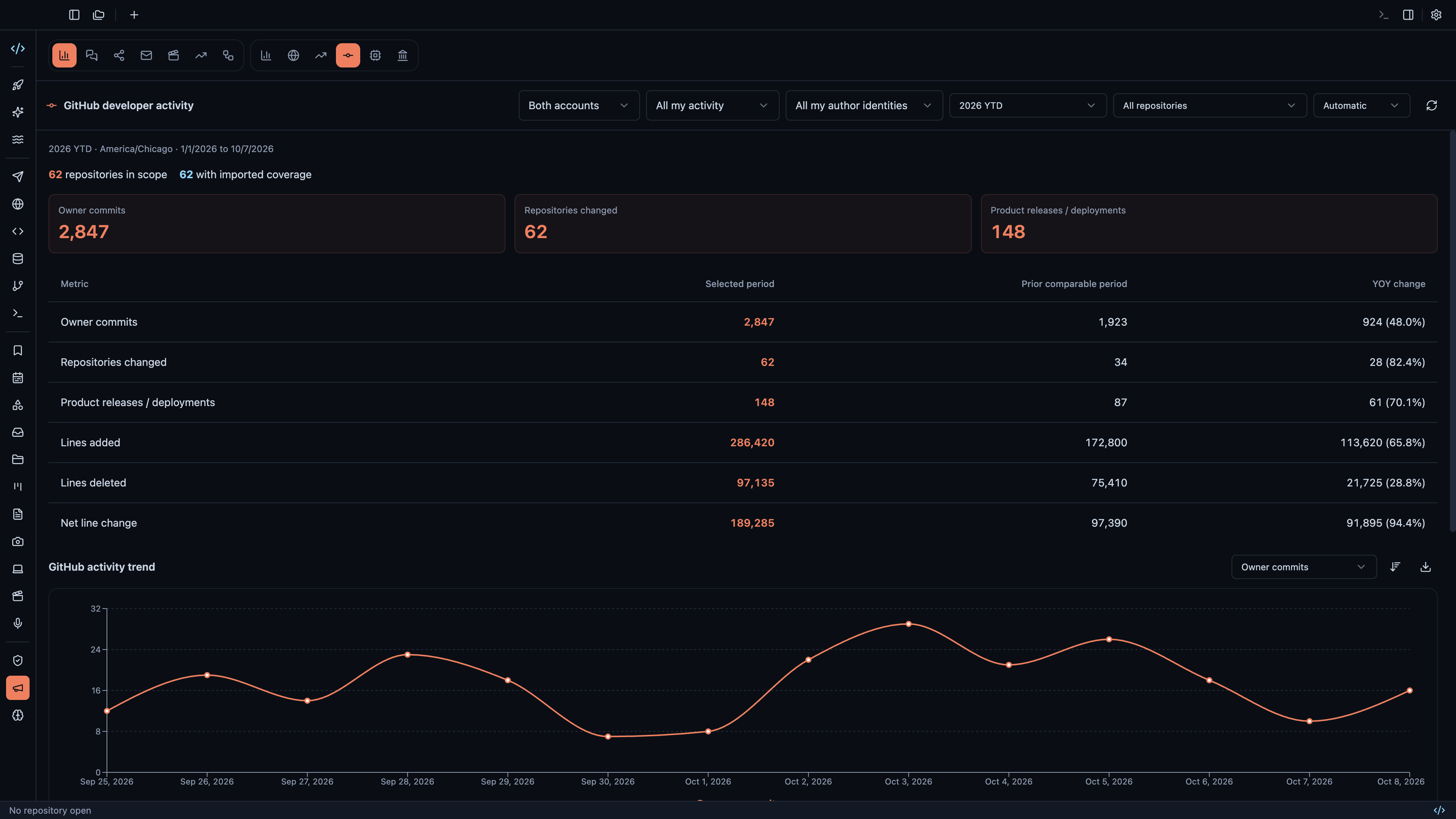
Track both GitHub accounts with daily trends and year-over-year comparisons · View original full-resolution image
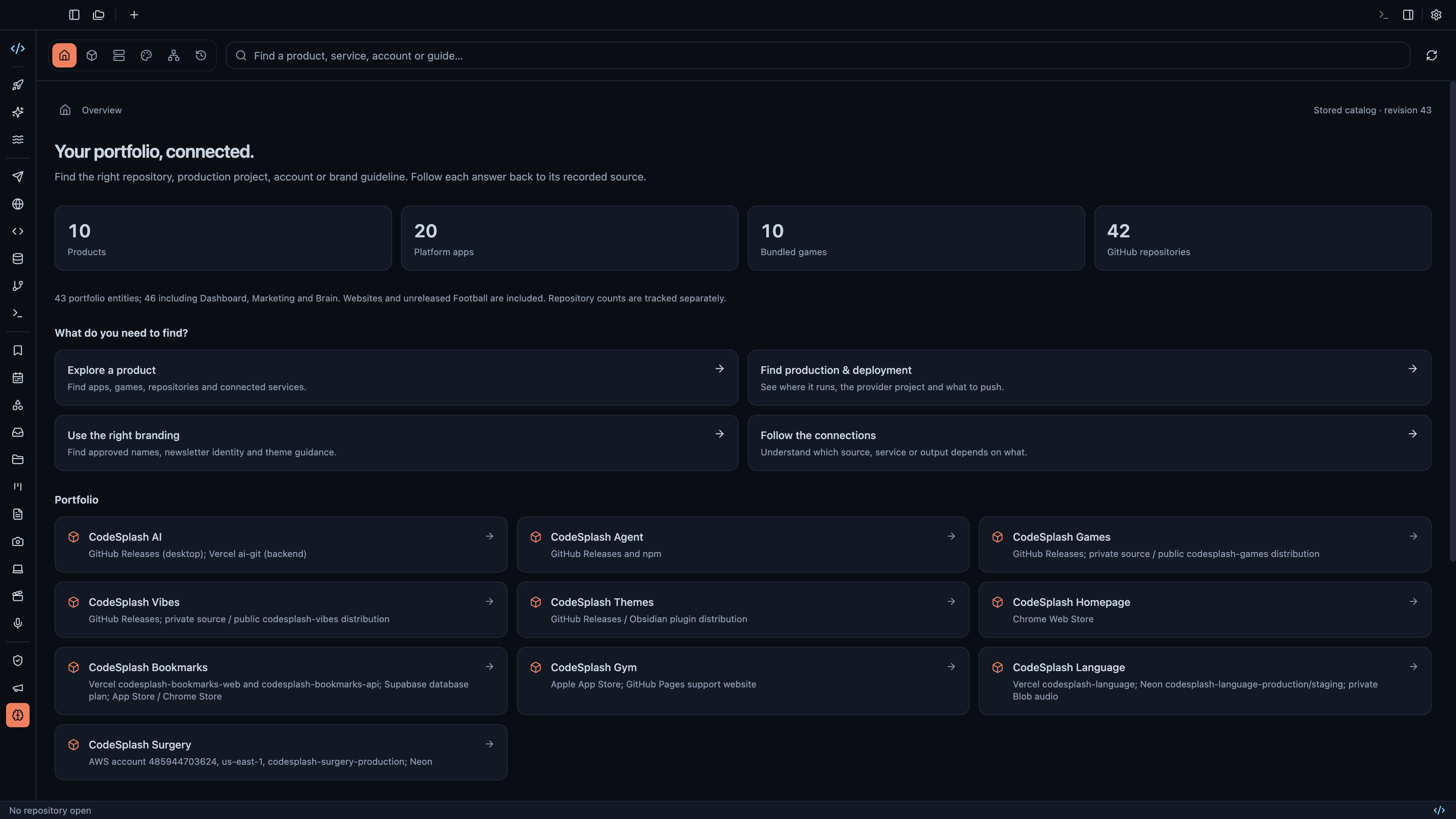
Find product, repository, deployment and branding knowledge in the Brain · View original full-resolution image
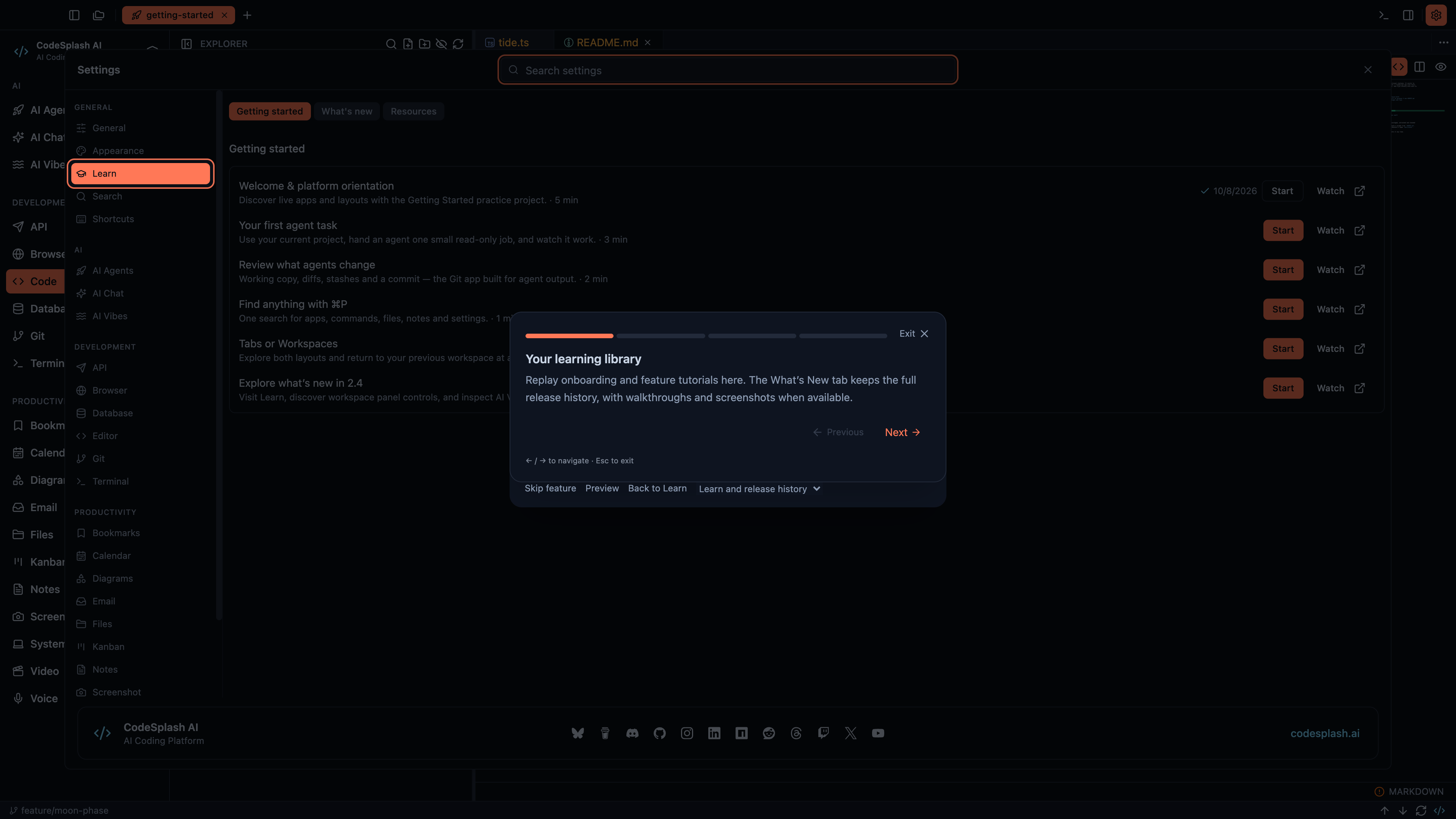
Your learning library · View original full-resolution image
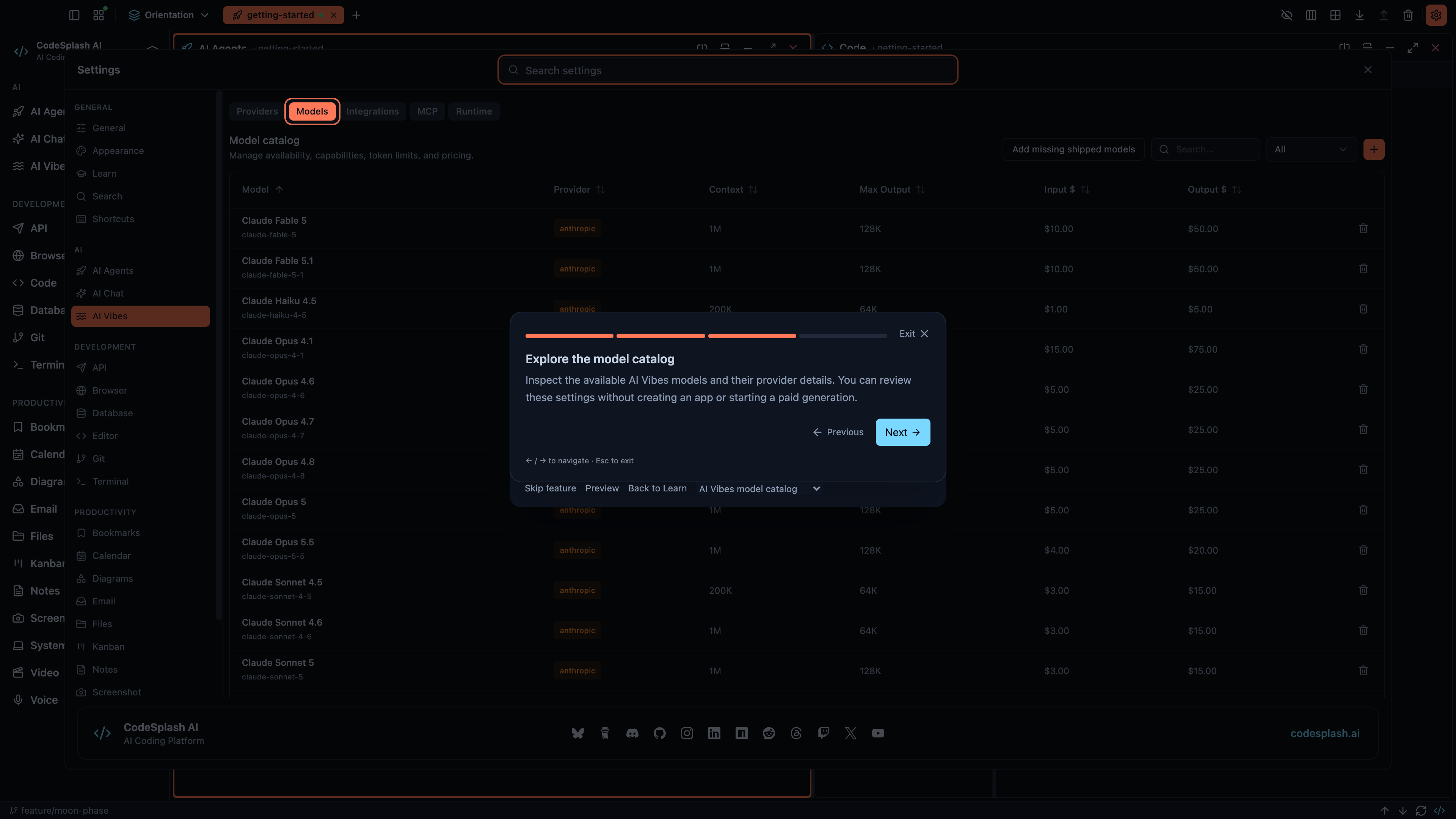
Explore the model catalog · View original full-resolution image
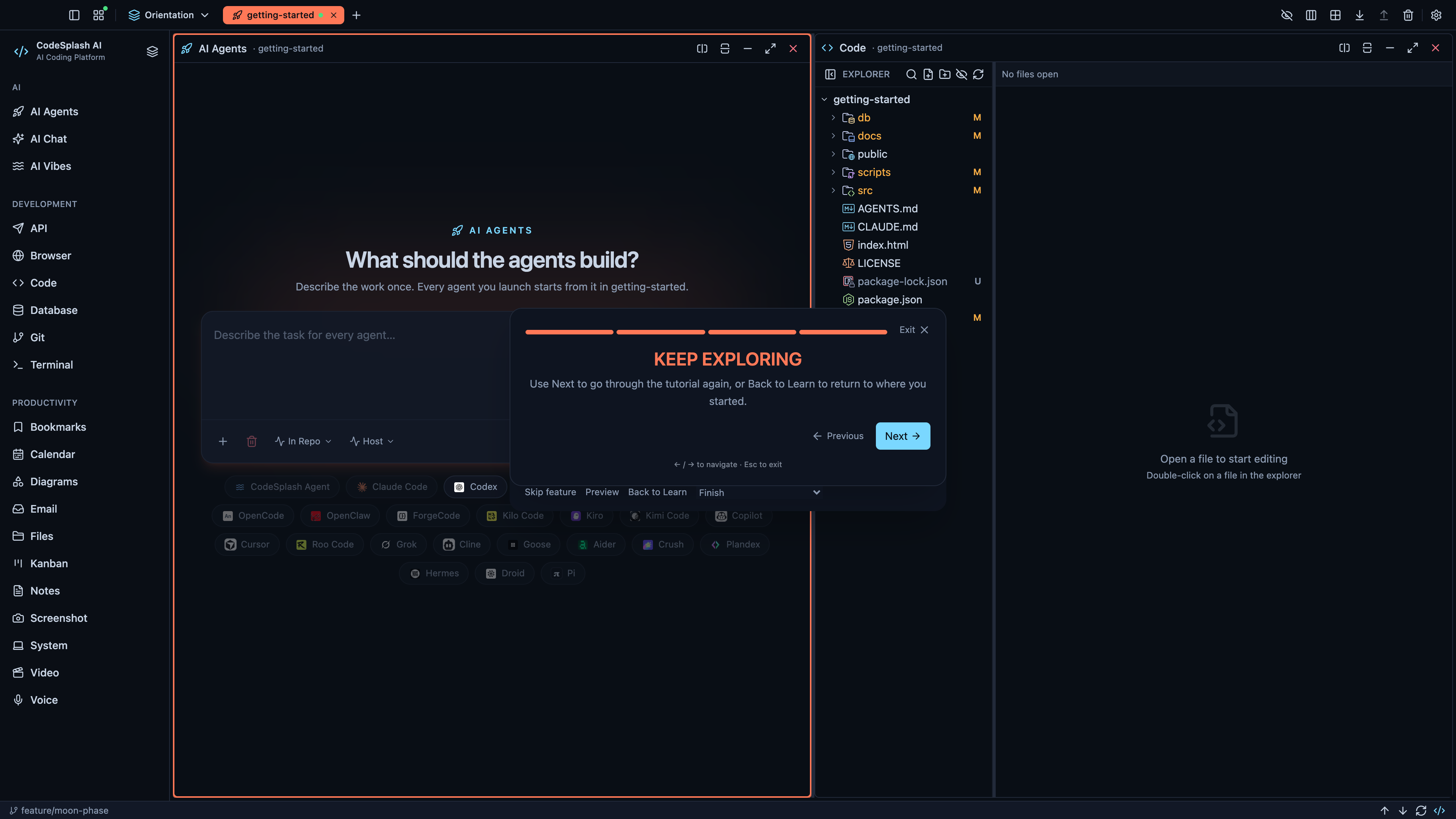
Keep exploring · View original full-resolution image
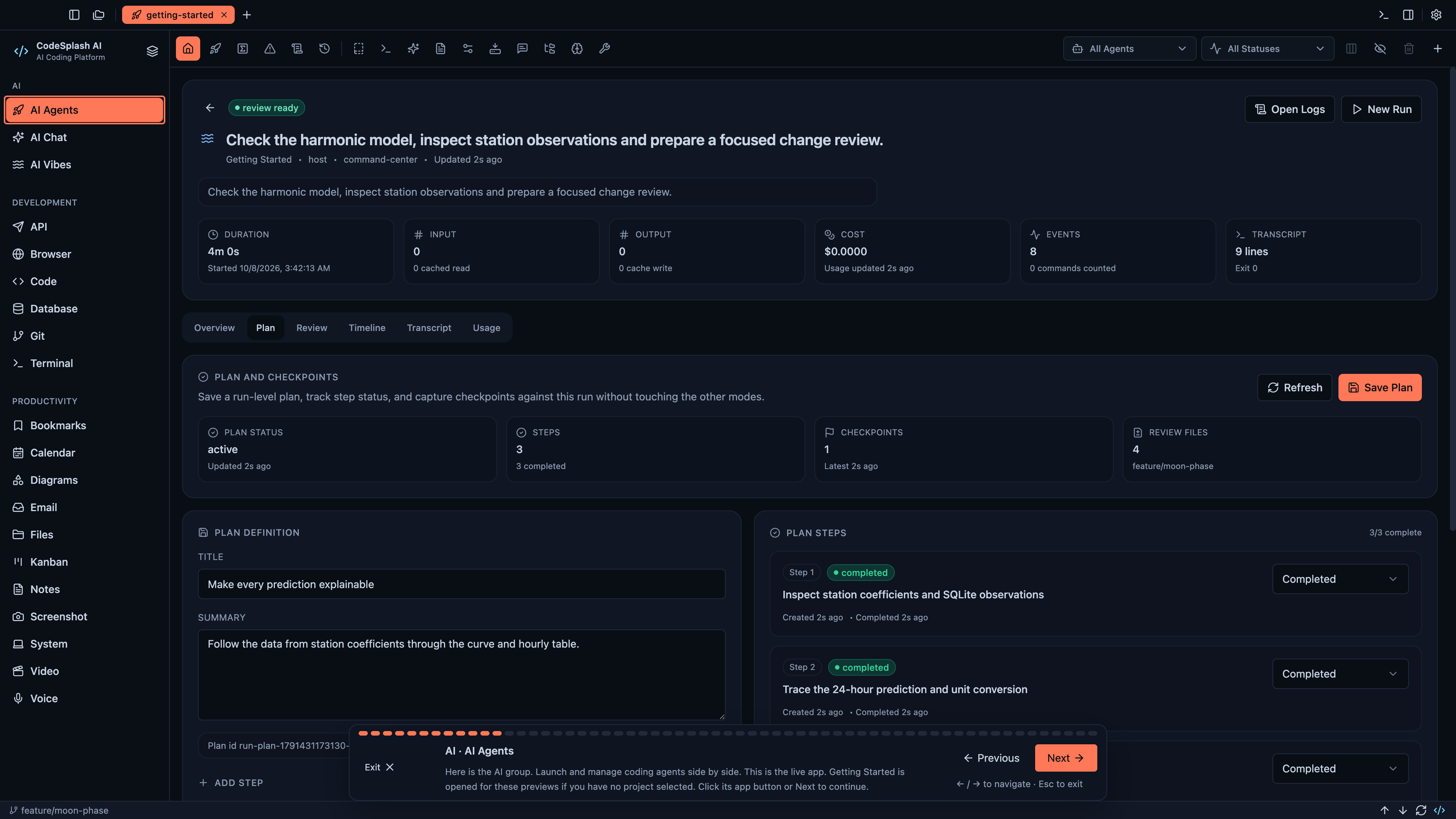
AI · AI Agents · View original full-resolution image