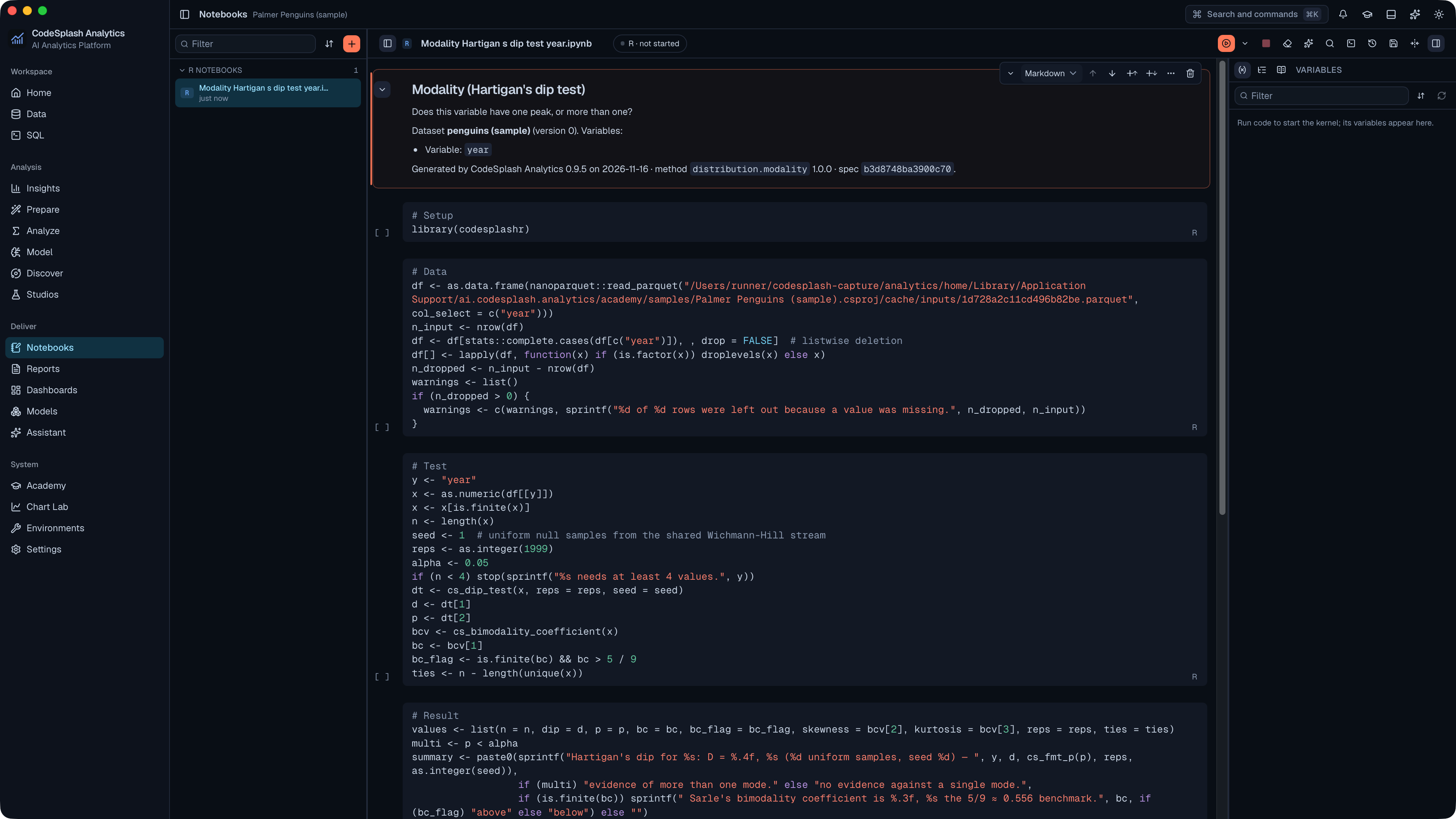
Broader desktop capture coverage, with cleaner release checks
CodeSplash Analytics 0.9.5 is a small maintenance release, and the most important thing to know is simple: this patch is about release quality, not a new analysis workflow.
The main change is broader native marketing capture across the desktop app. Release materials can now capture more real product surfaces instead of leaning on a narrower path through the app. For people following the product closely, that matters because the screenshots and demos used in release posts can now show more of the app as it actually ships.
In 0.9.5, that capture coverage was expanded to include:
- analysis notebooks
- reports from templates
- warehouse connection dialogs
- sample dashboards
- Academy
- Settings views, including Appearance and About
That is not the same as saying those areas are new in this version. They are not presented that way in the release evidence. The change here is that the release capture flow now covers them more deliberately, so official visuals can be taken from more of the real desktop app.
Why this patch matters
If you use a data tool seriously, screenshots are not fluff. Good release materials should reflect the real app, the real navigation, and the real output a person sees on screen. A notebook should look like the notebook. A report template should be captured from the report flow. Settings should come from the actual Settings screens.
That is the direction of 0.9.5.
The release capture contract was updated so the filming path now moves through more existing parts of CodeSplash Analytics. The documented scenes include notebook output, a report from a template, a warehouse connection dialog that is closed without entering anything, a sample dashboard, Academy, and top-level Settings areas.
That makes the release process more useful in two ways:
- Broader proof of the shipped desktop app. More official screenshots can come from real screens instead of from a small subset of views.
- Better consistency for release posts. When a release touches an existing area, the capture flow is better prepared to show it.
A small but concrete fix in the release checks
The other confirmed improvement is in the validation that checks the native capture flow.
Some tab and toggle labels can be followed by conditional badges. That made parts of the capture test too brittle, because the label-matching logic could fail when the text was followed by extra rendered UI.
In 0.9.5, that validation was adjusted so those labels are recognized more reliably in the presence of conditional badges. The result is less noise from false failures during release capture checks.
This is a release-engineering fix, but it has a practical effect: the capture process is less likely to fail for the wrong reason when existing screens change state or show extra UI markers.
What did not change in 0.9.5
This release does not add a clearly documented new end-user feature.
There is no new statistics method announced here. No new machine learning workflow. No new reporting feature. No new Academy capability documented in the release notes.
That restraint is worth keeping in the article too. 0.9.5 is housekeeping, but useful housekeeping.
Version alignment across the workspace
The patch also advances version metadata to 0.9.5 across the desktop app and related workspace packages.
That includes the main workspace version, the desktop app version, the Tauri app version, and related package versions. It is routine work, but important for keeping release artifacts aligned.
For a patch release with two commits in the release range, that fits the evidence: one maintenance pass on capture and validation, then the release version bump.
The practical takeaway
If you are evaluating CodeSplash Analytics from its release posts and product visuals, 0.9.5 improves how faithfully those materials can represent the desktop app.
If you are already staying current on releases, this looks like a low-risk maintenance update focused on the quality of the release process itself.
And if you care about disciplined product work, this is the kind of patch that is easy to overlook but still worth shipping: better native capture coverage, better validation around UI label states, and synchronized versioning across the workspace.
You can get the latest desktop release here: https://analytics.codesplash.ai/download
Try 0.9.5 and reply with feedback if better release coverage helps you understand the product more clearly.
Feature screenshots
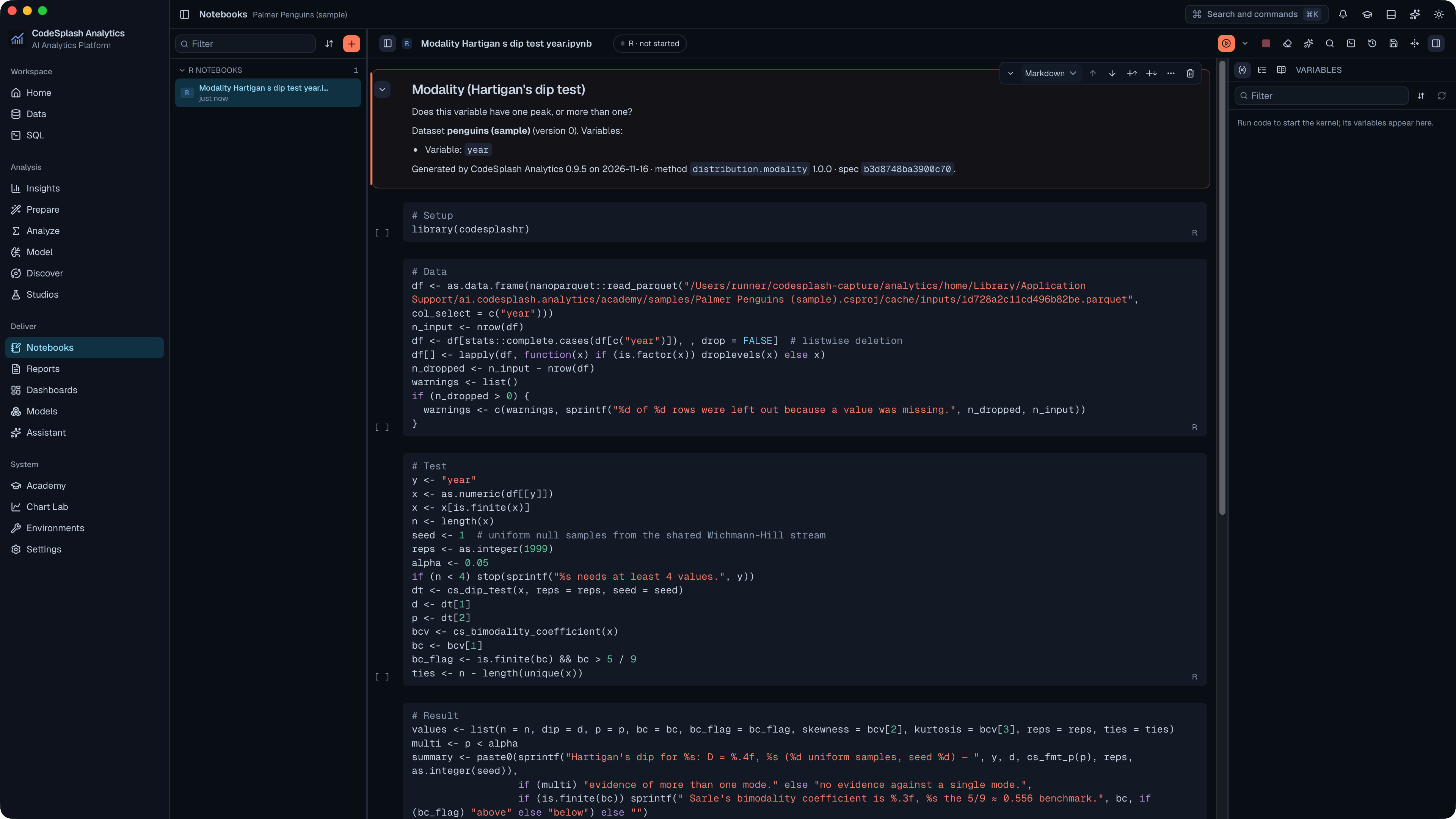
Open the analysis as a notebook · View original full-resolution image
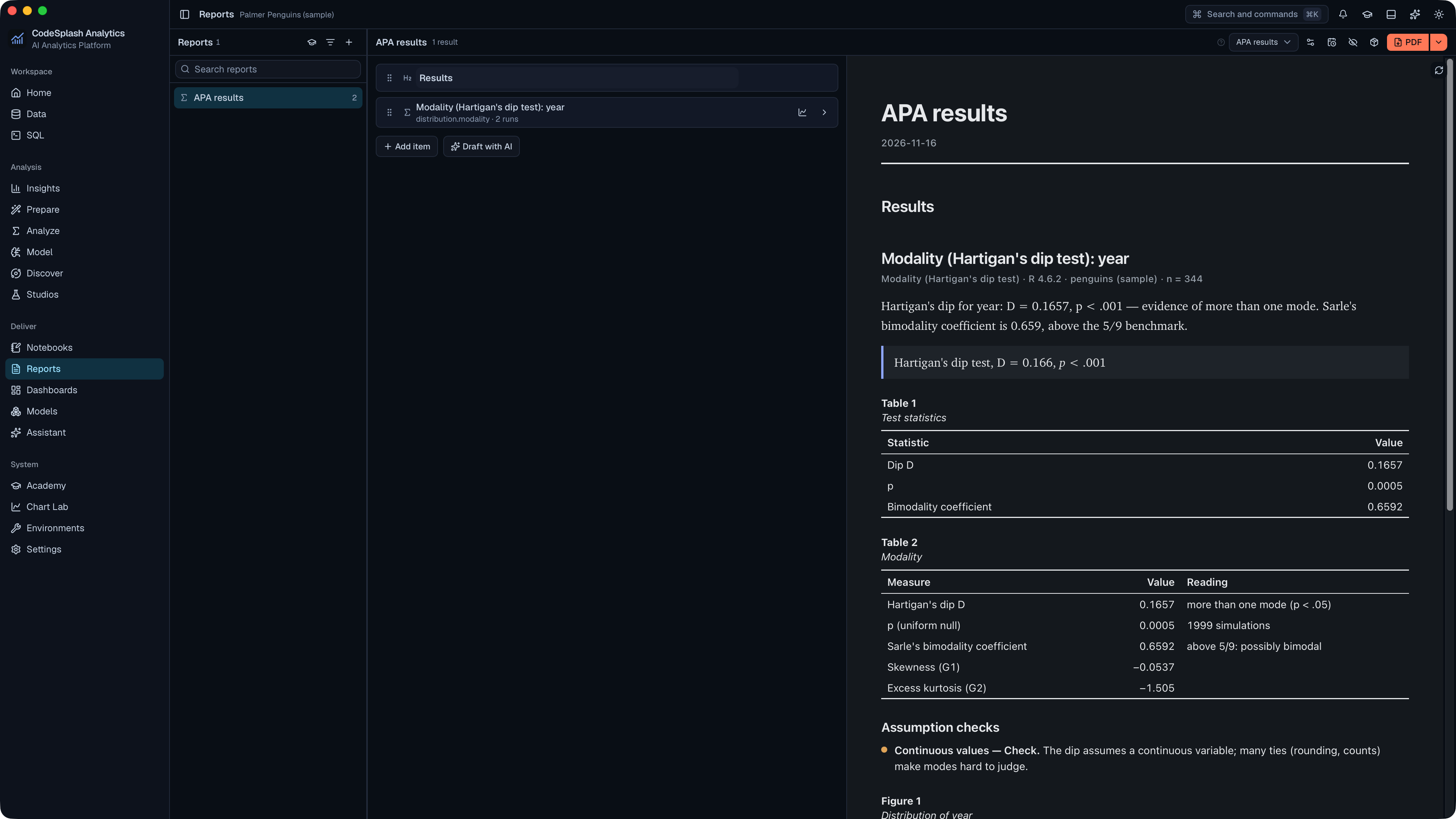
Write the results up in a report from a template · View original full-resolution image
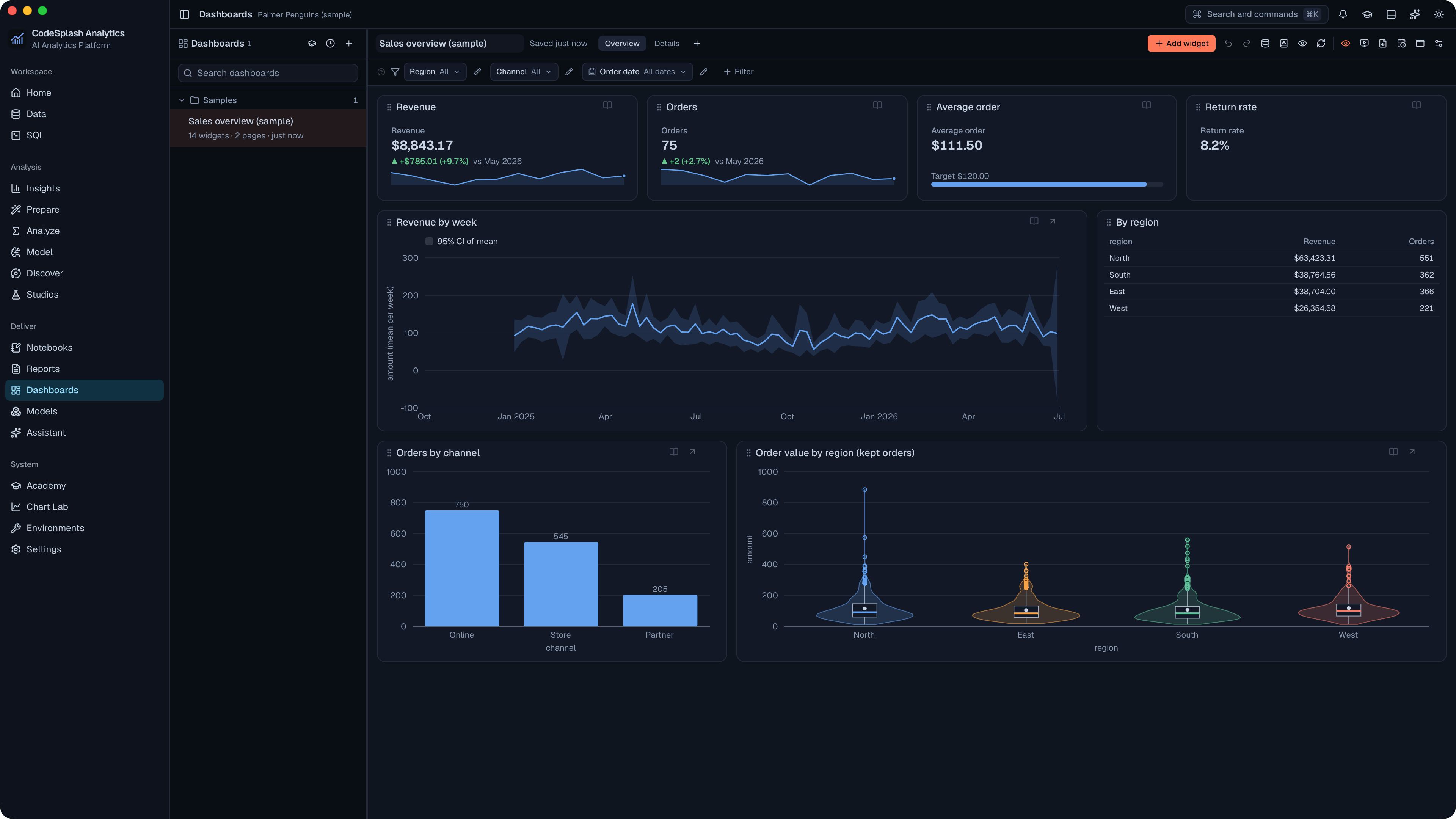
Open a sample dashboard · View original full-resolution image
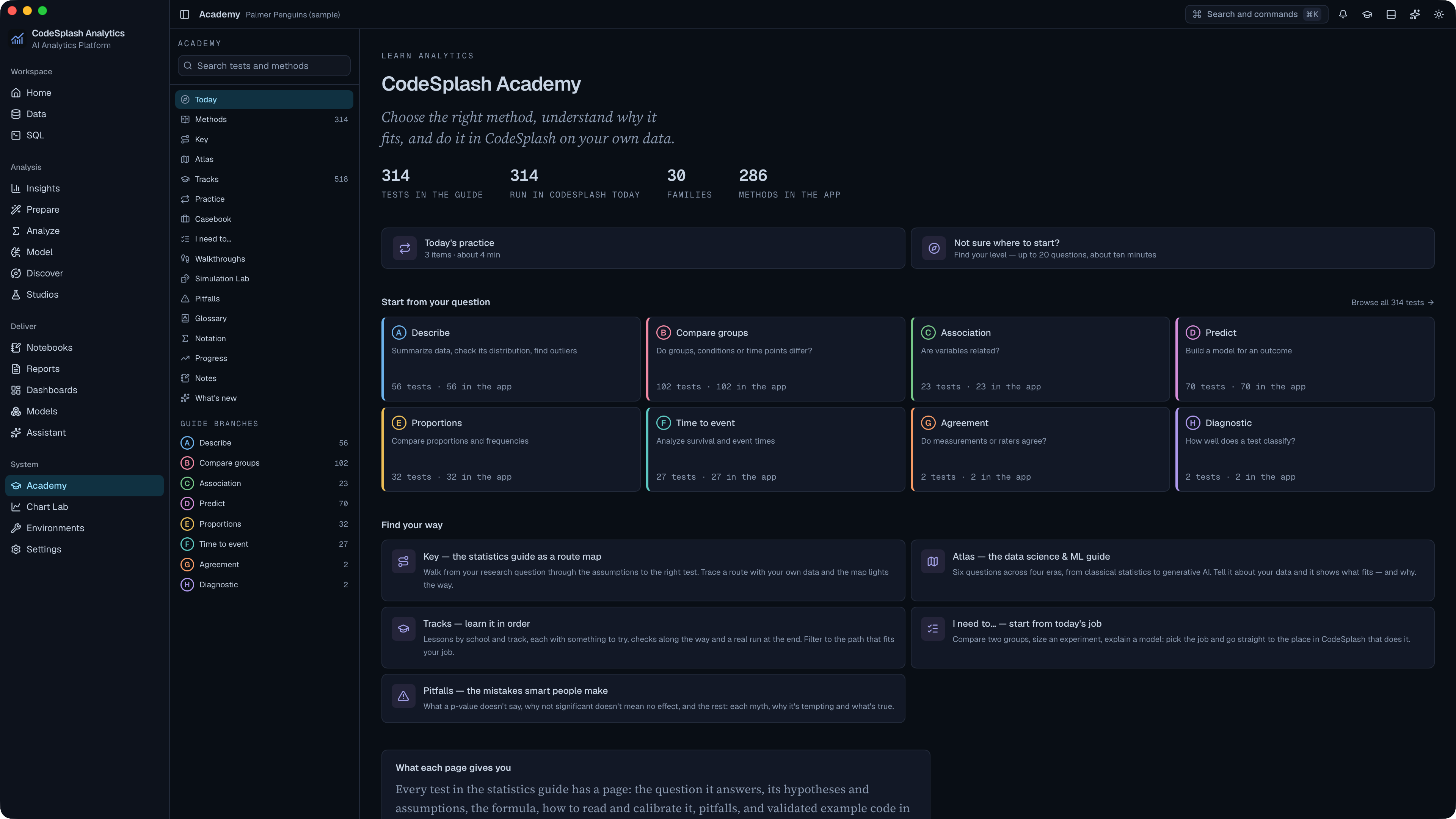
Learn statistics and the app in the Academy · View original full-resolution image
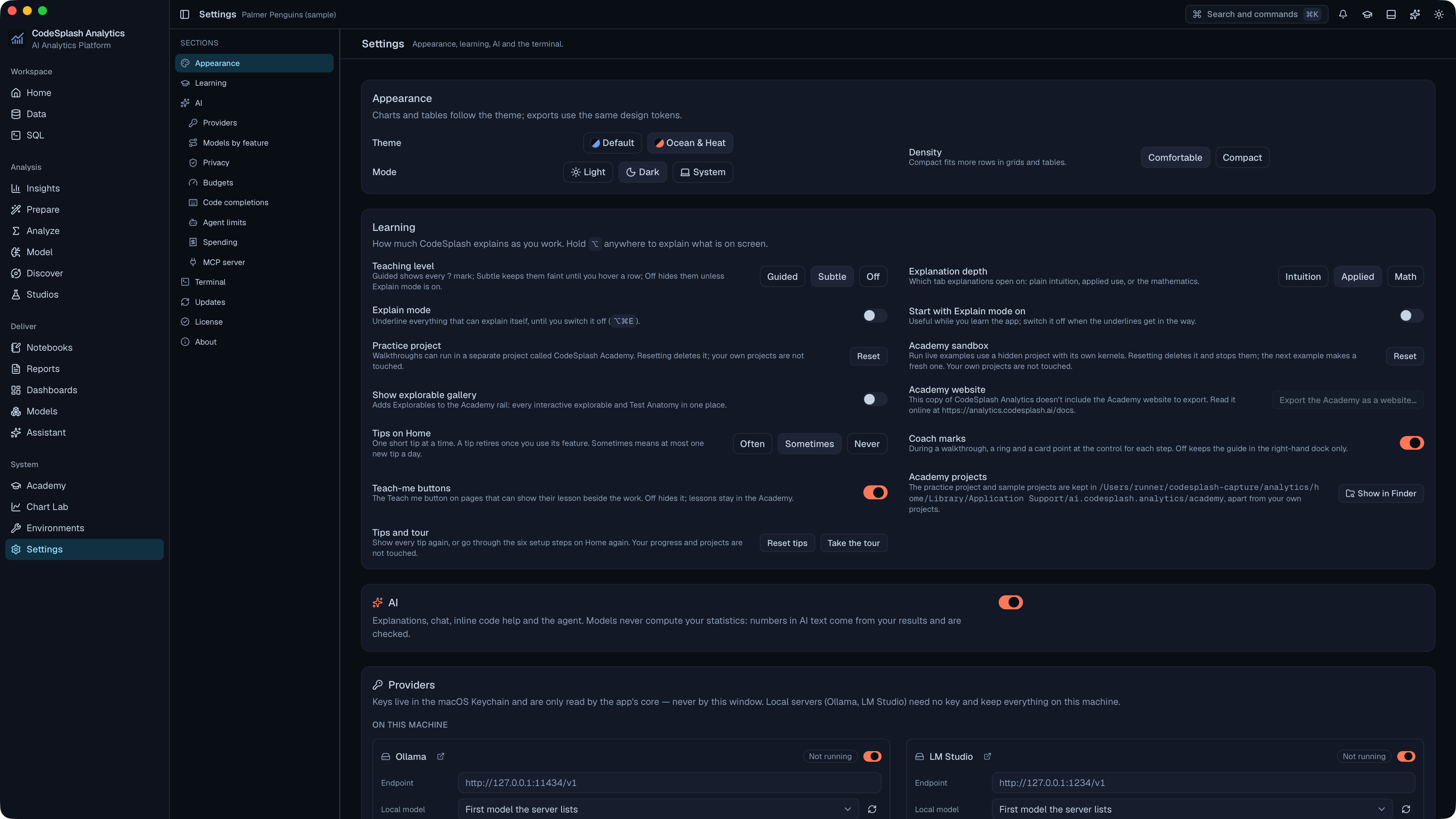
Choose the theme and density in Settings · View original full-resolution image