Skipped a few versions? Vibes now catches you up inside the app
The biggest change in CodeSplash Vibes 0.36.31 is simple: What’s New can now show every release newer than your last dismissed version, not just the latest one.
That matters if you update every few versions instead of every few days. After installing 0.36.31, the app can catch you up across the releases you missed, newest first, inside the same dialog you already use to review changes.
This patch is mostly about update visibility and reliability. We added a manual Check for updates action in Settings, built a full release history view into the app, and tightened the updater status flow so notifications still appear even when update events happen before the interface finishes loading.
What changed in the update flow
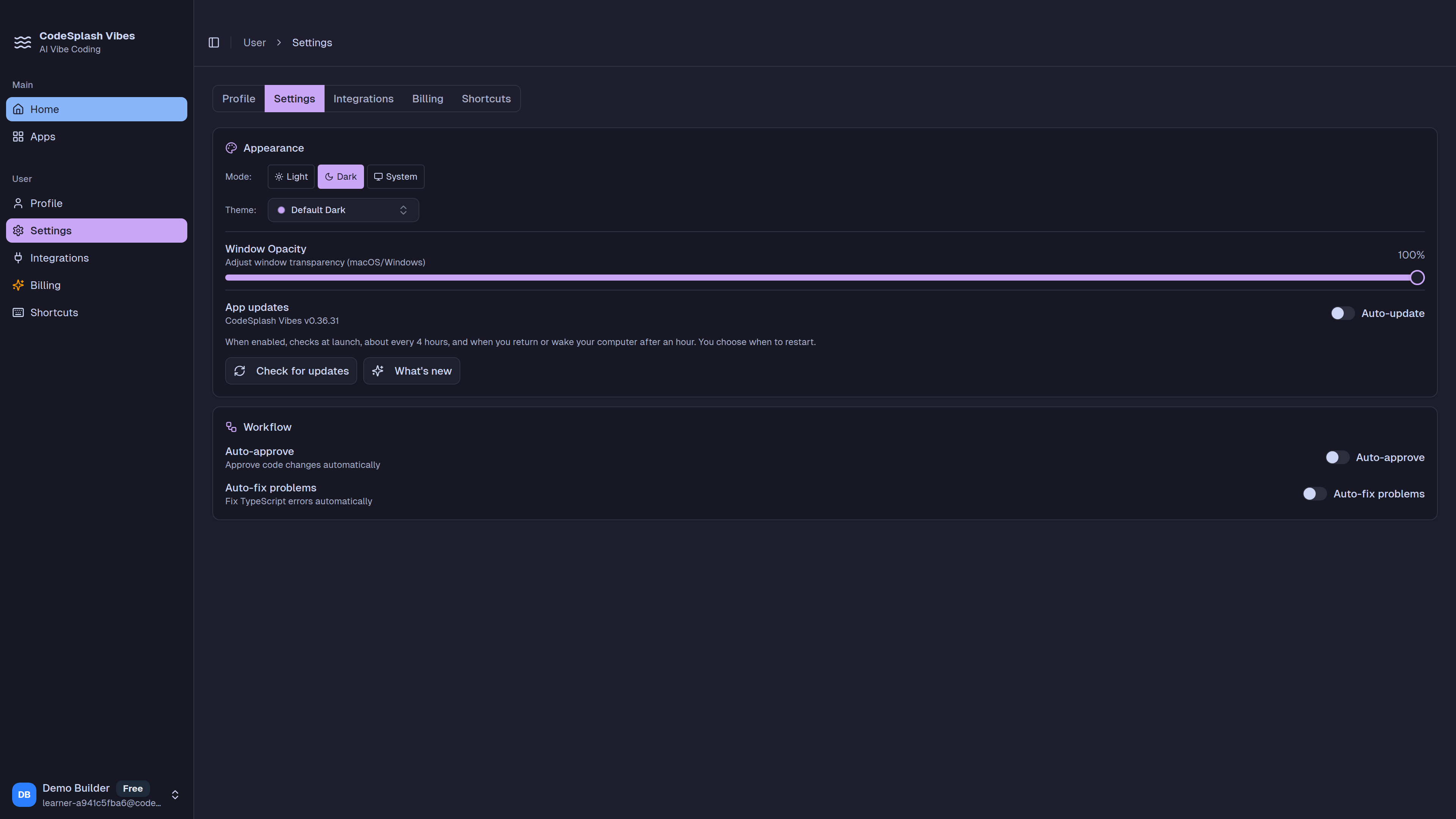
The new Settings flow gives the updater a real home.
You can now:
- run Check for updates from Settings
- see clearer download activity while an update is being fetched
- choose Restart now / Later when an update is ready
- get the restart prompt again on the next launch if you postpone it
That last part is small but useful. If you are in the middle of something and hit Later, the app does not treat that as permanent dismissal. The install action stays available, and the prompt comes back on the next launch.
Automatic update checks also run on a clearer schedule now. Installed builds check:
- at launch
- about every four hours
- after returning focus or waking, when at least an hour has passed since the last check
Those automatic checks also respect the current auto-update setting without requiring an app restart.
What’s New now works better when you skip releases
Before this patch, the What’s New experience was narrower. In 0.36.31, the dialog now shows every release newer than the last dismissed version, up to the installed version, with the newest entry first.
A couple of details here matter:
- opening history in Settings does not mark anything as acknowledged
- only dismissing What’s New records the highest displayed version
- fresh installs record a baseline without opening the dialog
That keeps release notes useful for catch-up without blurring the line between browsing history and dismissing new changes.
Release history is now built into the app
Settings also now exposes full release history inside the desktop app.
The implementation is practical. Vibes bundles offline entries into the app, then merges newer notes from published sources when available. According to the release docs, release history combines:
- bundled history from
src/shared/release-history.json - GitHub public releases
- the CodeSplash updates feed
The bundled history backfills 16 published Vibes releases from 0.36.15 through 0.36.30 for offline access. So even without a network call succeeding, the app still has real history to show.
This work also landed as actual product surface, not just data plumbing. The release adds src/components/settings/AppUpdates.tsx, expands WhatsNewDialog.tsx, and introduces src/main/release-notes.ts to merge release sources and select the right entries for What’s New and release history.
More reliable updater notifications
A useful fix in this patch addresses a timing problem: update notifications that arrived before the renderer finished loading could be missed by the interface.
0.36.31 preserves updater status so those events still make it to the UI. The update docs describe the flow clearly: the renderer subscribes before requesting a status snapshot, so a completed update can still appear even if the event fired early.
This release also keeps the updater restart process intact after cleanup during installation, which makes the handoff to restart and install more resilient.
Platform-specific fallback paths
There is also a platform detail worth calling out.
For Linux and Intel Macs, update flows now use the release download page. On Intel Macs, that fallback matters because the current update manifest only provides an Apple Silicon build. Instead of pointing users at a path that does not fit that platform, the app sends them to the release download page.
That is a narrower claim than “auto-update works the same everywhere,” and it is the right one for this release.
Why this patch matters
0.36.31 is not a broad product overhaul. It is a focused patch that makes a common desktop workflow easier to trust.
If you update often, you get clearer status and restart prompts. If you update occasionally, What’s New now does a better job of catching you up. If updater events happen early in app startup, the UI is less likely to miss them.
That adds up to less guessing about three basic questions:
- Is there an update?
- What changed since I last paid attention?
- What do I need to do to finish installing it?
If you want to try the new flow, install the latest build from codesplash.ai/downloads.
Try 0.36.31 and reply with feedback on the new update and release history flow.
Feature screenshots
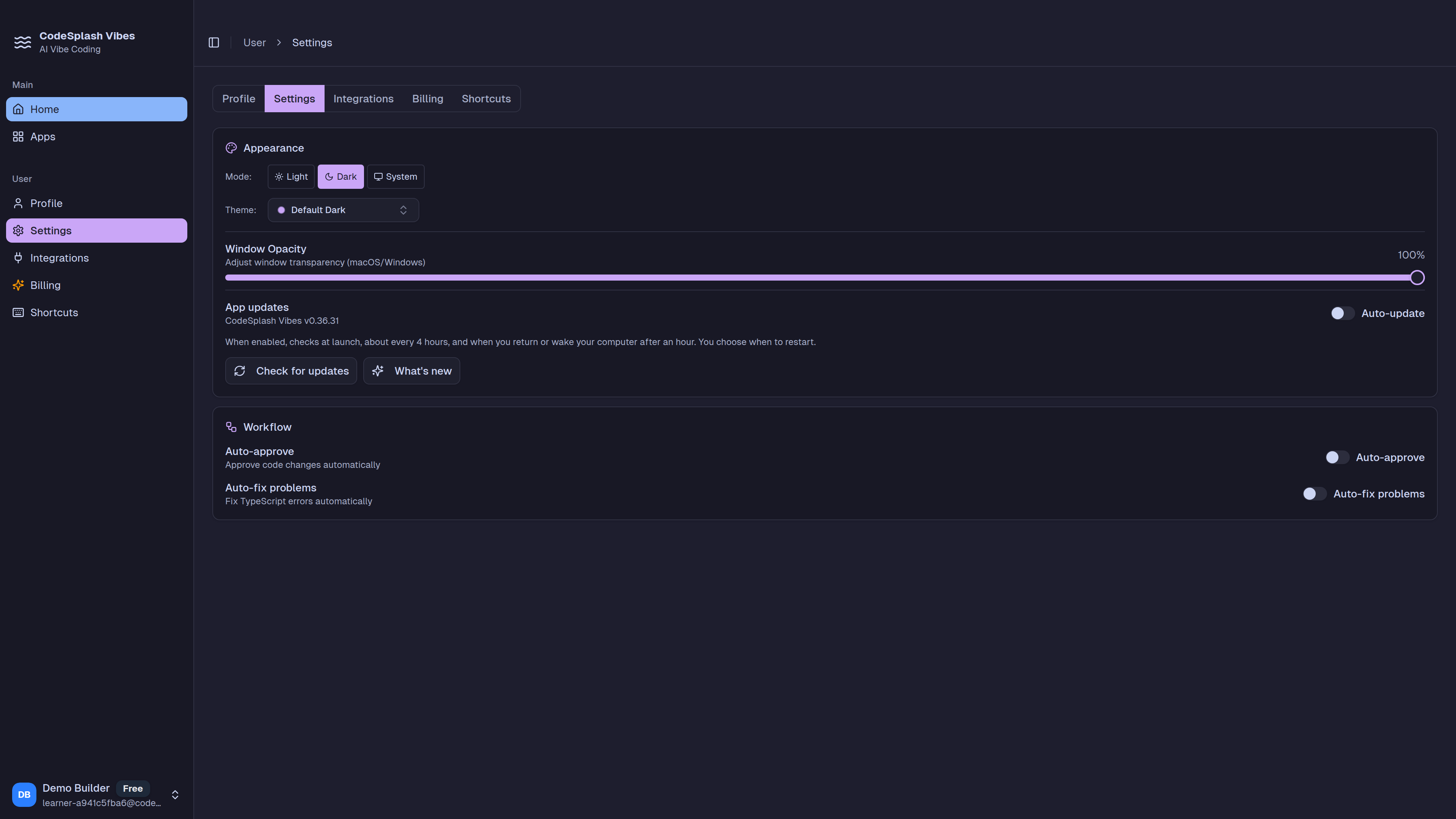
Manage appearance and automatic updates in CodeSplash Vibes · View original full-resolution image
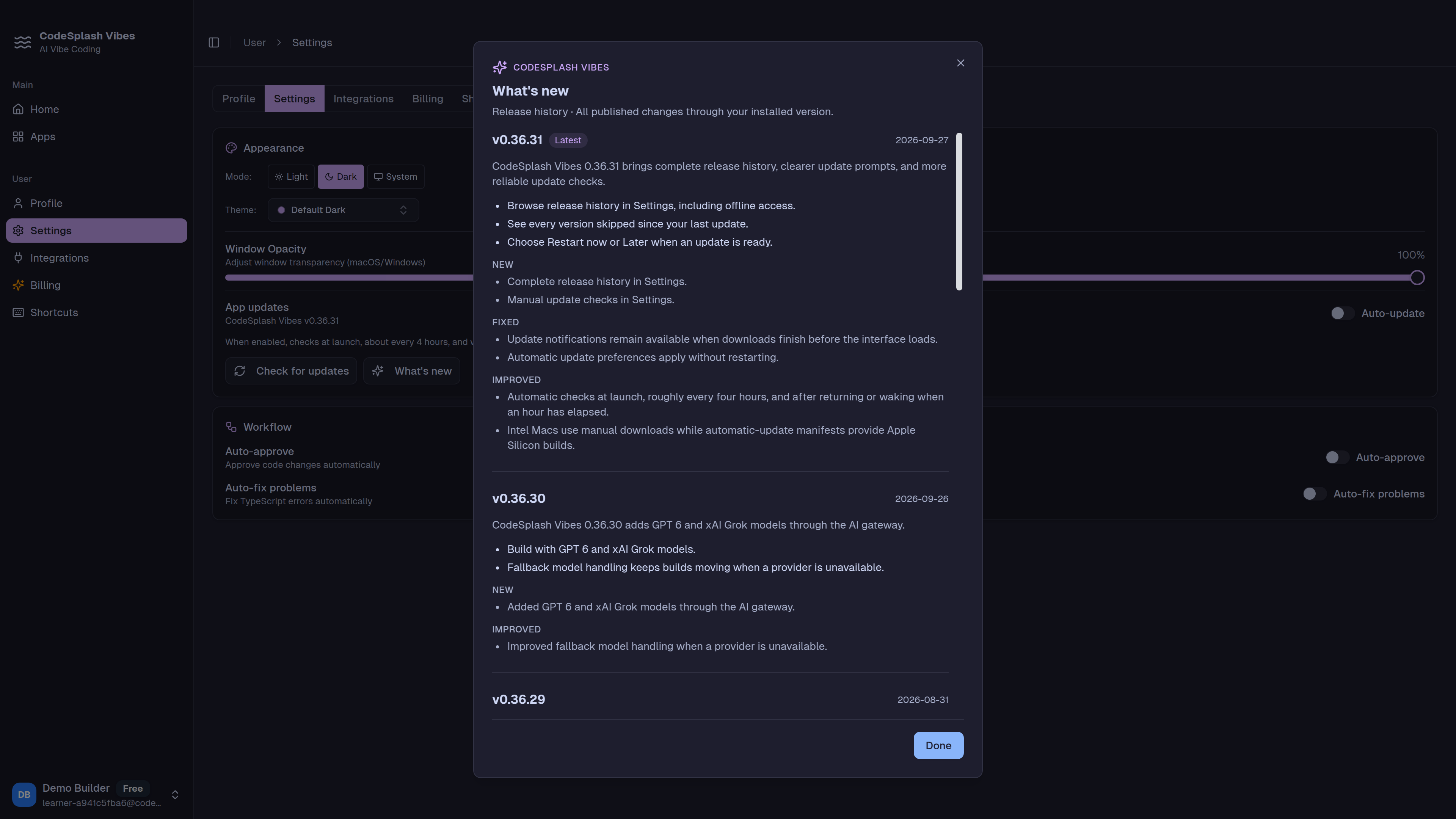
Read every published change through the installed version · View original full-resolution image