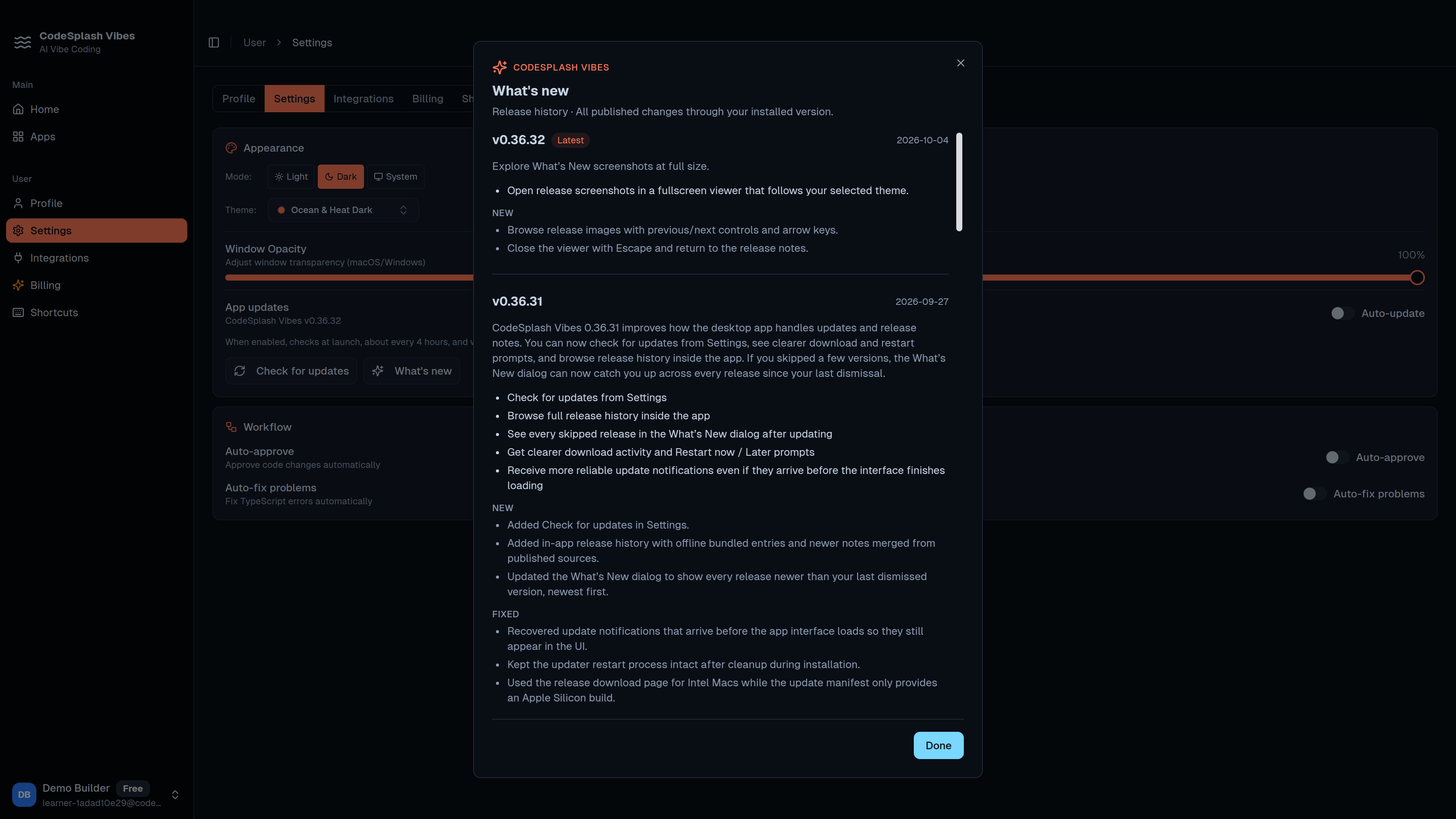
Release screenshots now open fullscreen in CodeSplash Vibes
CodeSplash Vibes 0.36.32 is a small desktop patch, but it fixes a real annoyance in the release notes flow.
If you read the in-app What's New panel to understand visual changes, inline screenshots can be limiting. In 0.36.32, release screenshots can now open in a themed fullscreen viewer. That gives visual updates enough space to inspect without squinting at a smaller embedded image.
This is the main user-facing change in the release, and it is a practical one. The goal here was not to add a new creation workflow or change how the editor works. It was to make release notes easier to browse when a release includes screenshots that matter.
What changed
The new behavior is simple:
- Open the desktop app's release notes
- Find a screenshot in the What's New flow
- Open it in the new fullscreen viewer
That larger view is the point. Screenshot-heavy updates are easier to read when you can focus on one image at a time instead of relying only on the inline layout.
The viewer is also themed to match the rest of the release-notes experience, so it feels like part of the desktop app instead of a detached image preview.
Why this patch matters
Release-note polish is easy to dismiss until you depend on it.
For a desktop app that ships often, the in-app release notes are part of the product surface. They are where users check what changed, compare UI updates, and decide whether a release affects their workflow. When screenshots are cramped, that communication channel gets weaker.
0.36.32 improves that specific part of the product. It helps when a change is best shown visually instead of explained in a paragraph.
A good example is any update where layout, spacing, or component behavior changed. A larger screenshot view makes those differences easier to spot without leaving the app or opening assets elsewhere.
Compatibility work behind the viewer
Most of the rest of this release was not about adding more visible product features. It was about making sure the fullscreen release-notes flow stays compatible with the app's typed release history data.
That matters because release notes are data-driven. If the viewer and the release history format drift apart, the failure mode is usually boring and frustrating: screenshots stop rendering correctly, the dialog breaks on certain entries, or release content needs manual cleanup.
This patch includes compatibility work to keep the new fullscreen flow aligned with the typed release history the app already uses. That is not flashy, but it is the difference between a nice UI detail and a UI detail that keeps working across future releases.
Reliability work in the background
There is also a second theme in 0.36.32: tighter validation around hosted services and release checks.
The release range includes CI updates and backend validation work intended to catch build issues and service-contract problems earlier. The release notes call out validation for both Railway services in CI, along with broader release-check tightening.
For users, the benefit is indirect but useful:
- release builds have stronger validation before they move forward
- hosted-service issues are more likely to get caught earlier in the pipeline
- small desktop patches like this are less likely to be blocked by avoidable release plumbing failures
This does not change the day-to-day product workflow in the desktop app. It does support more reliable desktop releases, which is worth doing even in a patch that mostly ships one visible UI improvement.
A focused patch, not a broad feature drop
It is worth being precise about the scope here.
0.36.32 is centered on the release-notes experience inside the desktop app. The visible change is the themed fullscreen viewer for release screenshots. The supporting work is compatibility and validation work behind that experience and behind the release pipeline.
So if you update to this version, the thing you are most likely to notice is simple: visual release notes are easier to inspect.
Try it in the desktop app
If you usually skim release notes and move on, this patch may seem small. If you actually use screenshots in the What's New flow to evaluate UI changes, it is a meaningful upgrade.
Open the latest release notes in CodeSplash Vibes, click through the screenshots, and see whether the fullscreen viewer makes those updates easier to follow.
You can get the latest desktop build from codesplash.ai/downloads.
Try 0.36.32 and reply with feedback on the fullscreen release screenshot flow.
Feature screenshots
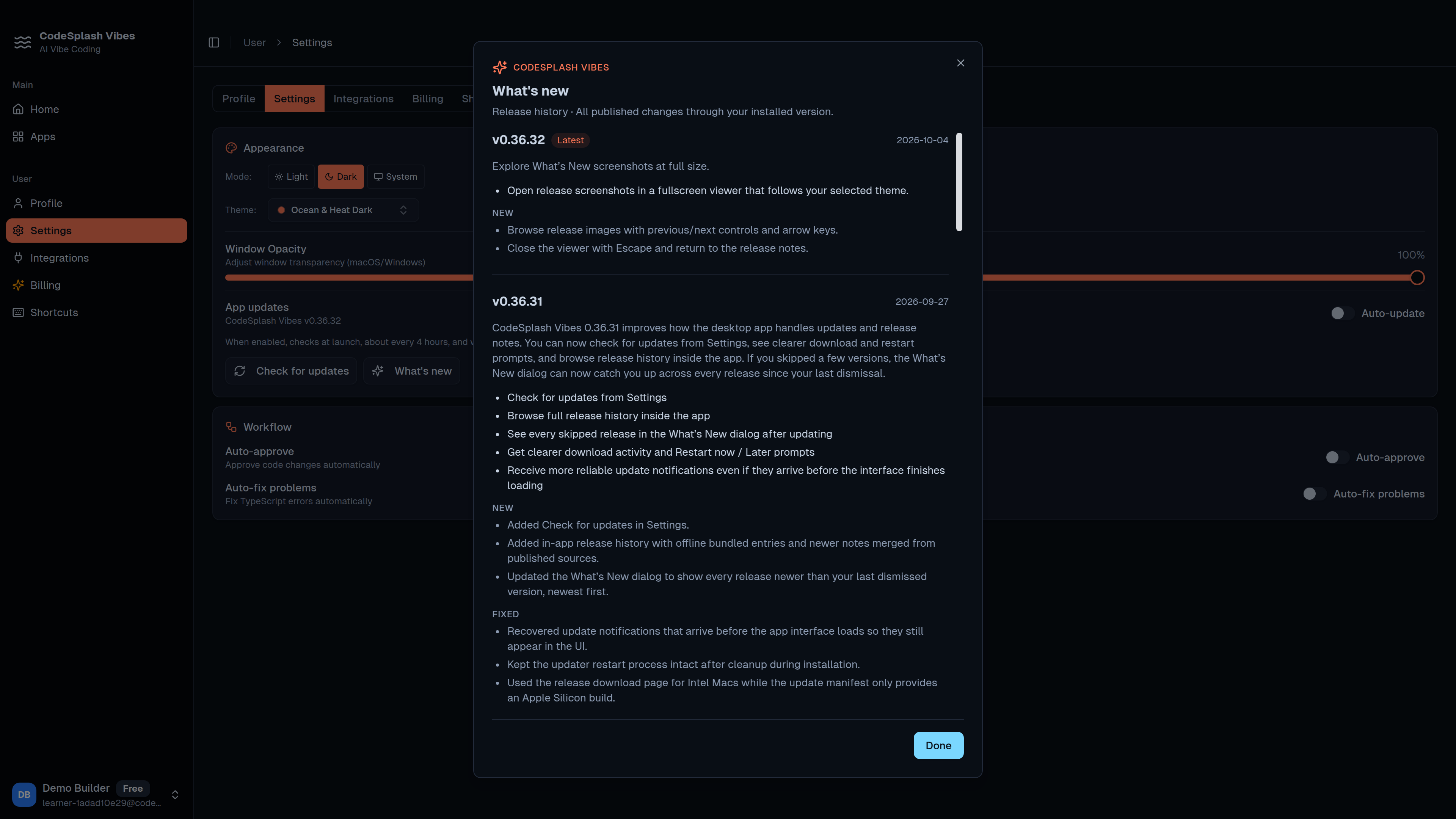
Read every published change through the installed version · View original full-resolution image