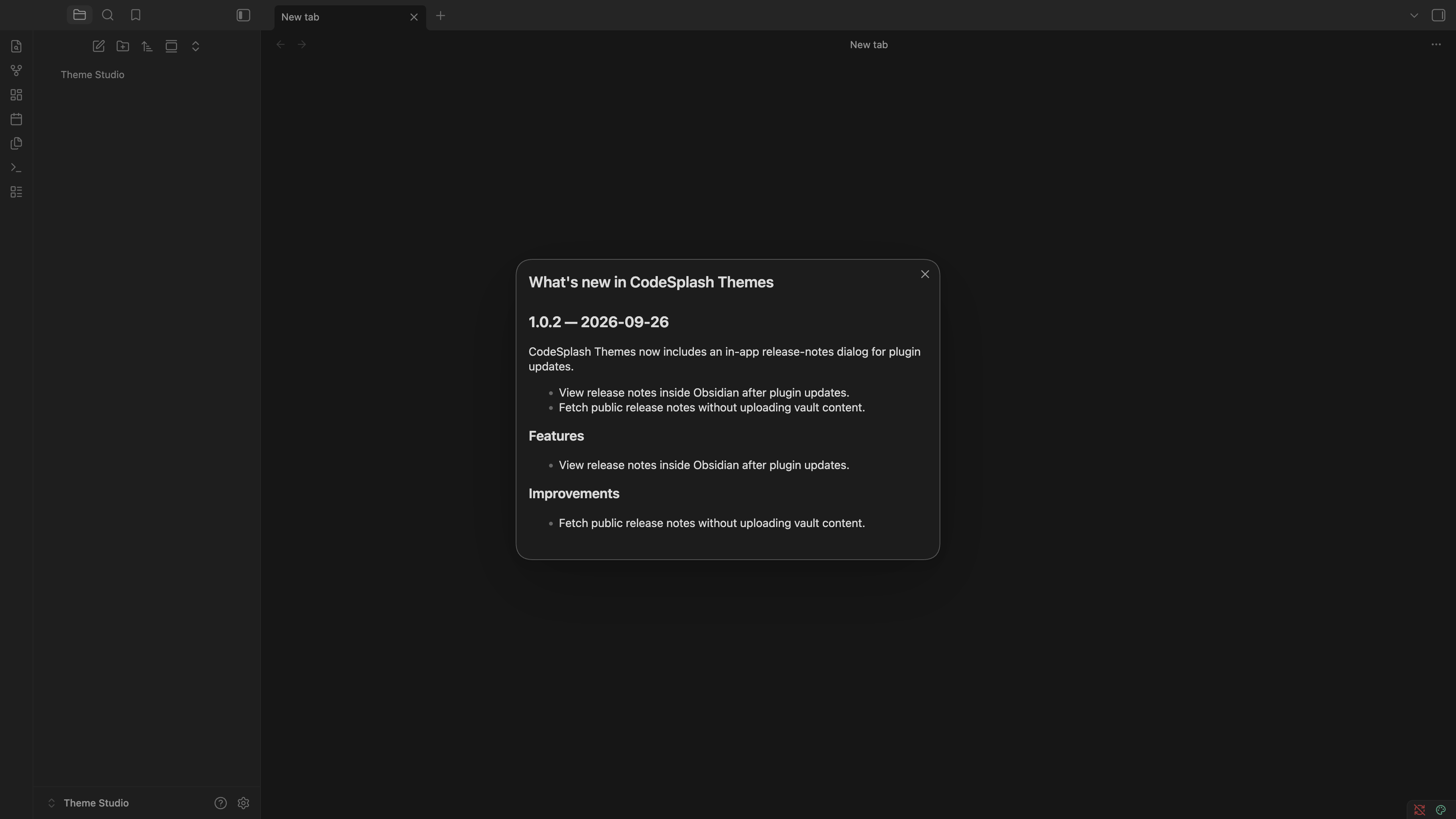
CodeSplash Themes 1.0.2 brings release notes into Obsidian. After a plugin update, the What's New dialog shows the changes since the version you last saw. Close it when you're finished and return to your workspace.
Update notes that know where you left off
The plugin remembers the last version you dismissed and reads newer entries up to the version you have installed. A fresh installation sets that baseline quietly. If the release feed cannot be reached, the plugin leaves the update unseen and tries again on a later launch.
The dialog supports a release summary, highlights, categorized changes, screenshots, and tutorial notes. The current 1.0.2 entry explains the new update dialog and its network behavior.
A public feed, with your notes staying in your vault
Update notes come from the CodeSplash Themes release feed. The plugin fetches that public document; it does not upload your vault content to obtain release notes.
Keep working with your themes
The existing theme chooser and editor remain available in Settings → CodeSplash Themes. Select a built-in theme, edit its palette, and assign colors to interface elements. The screenshots below show the actual released plugin in a disposable demonstration vault: the new update dialog first, followed by the existing theme tools and a themed note.
Read the release or view the released plugin source.
Feature screenshots
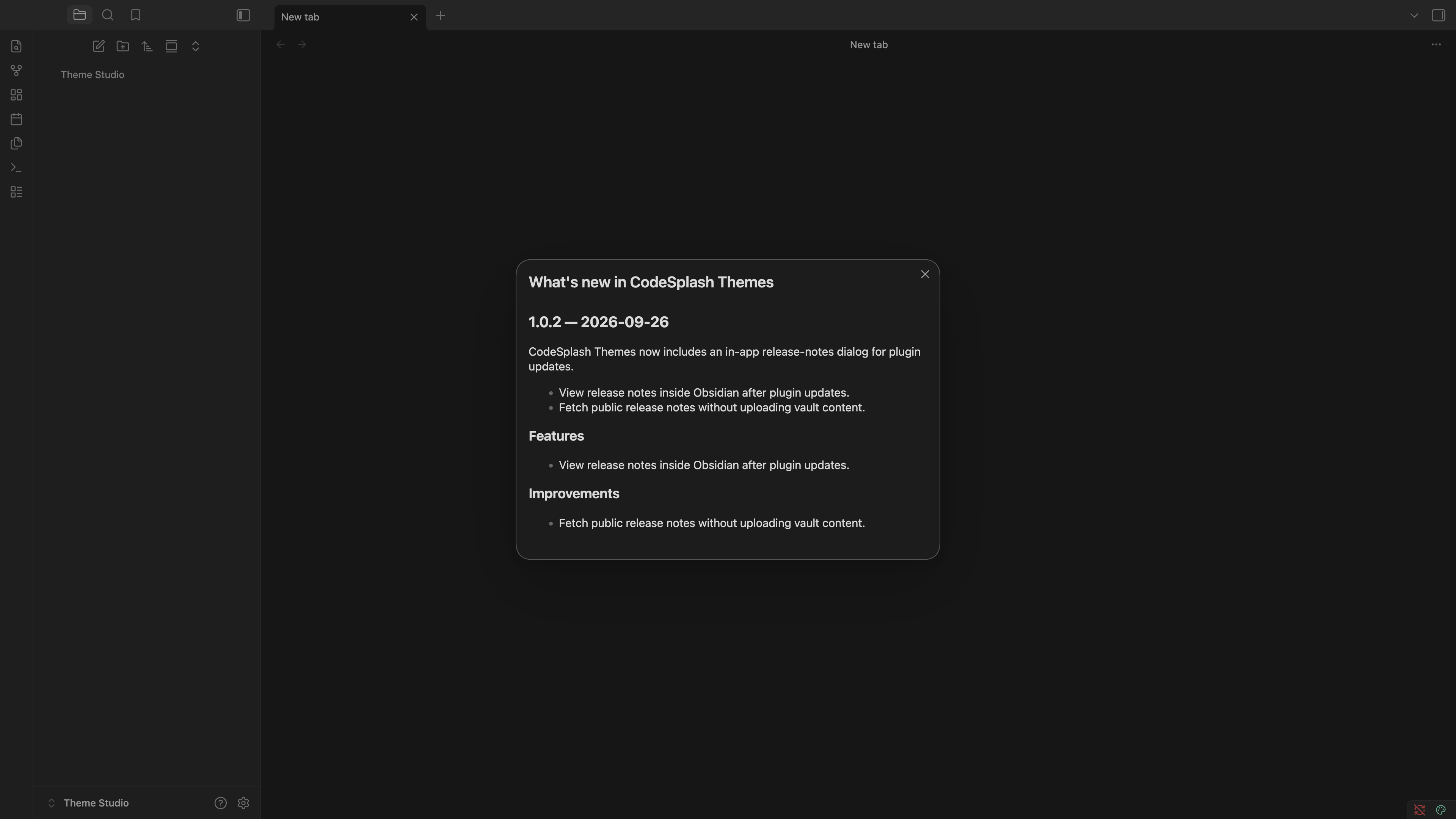
Read actual release notes inside the updated plugin · View native 4K image
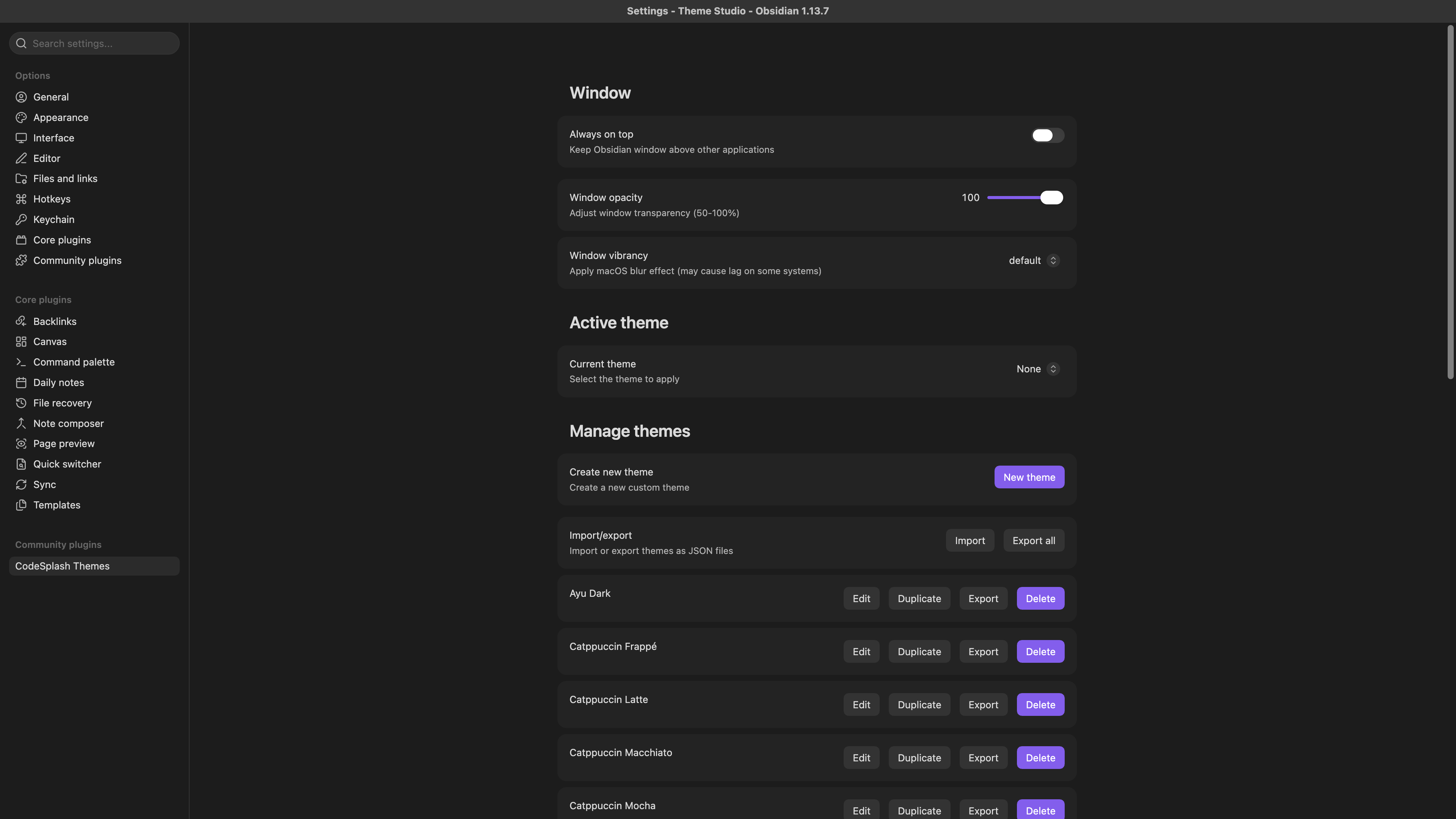
Choose and manage themes in the actual Obsidian settings · View native 4K image
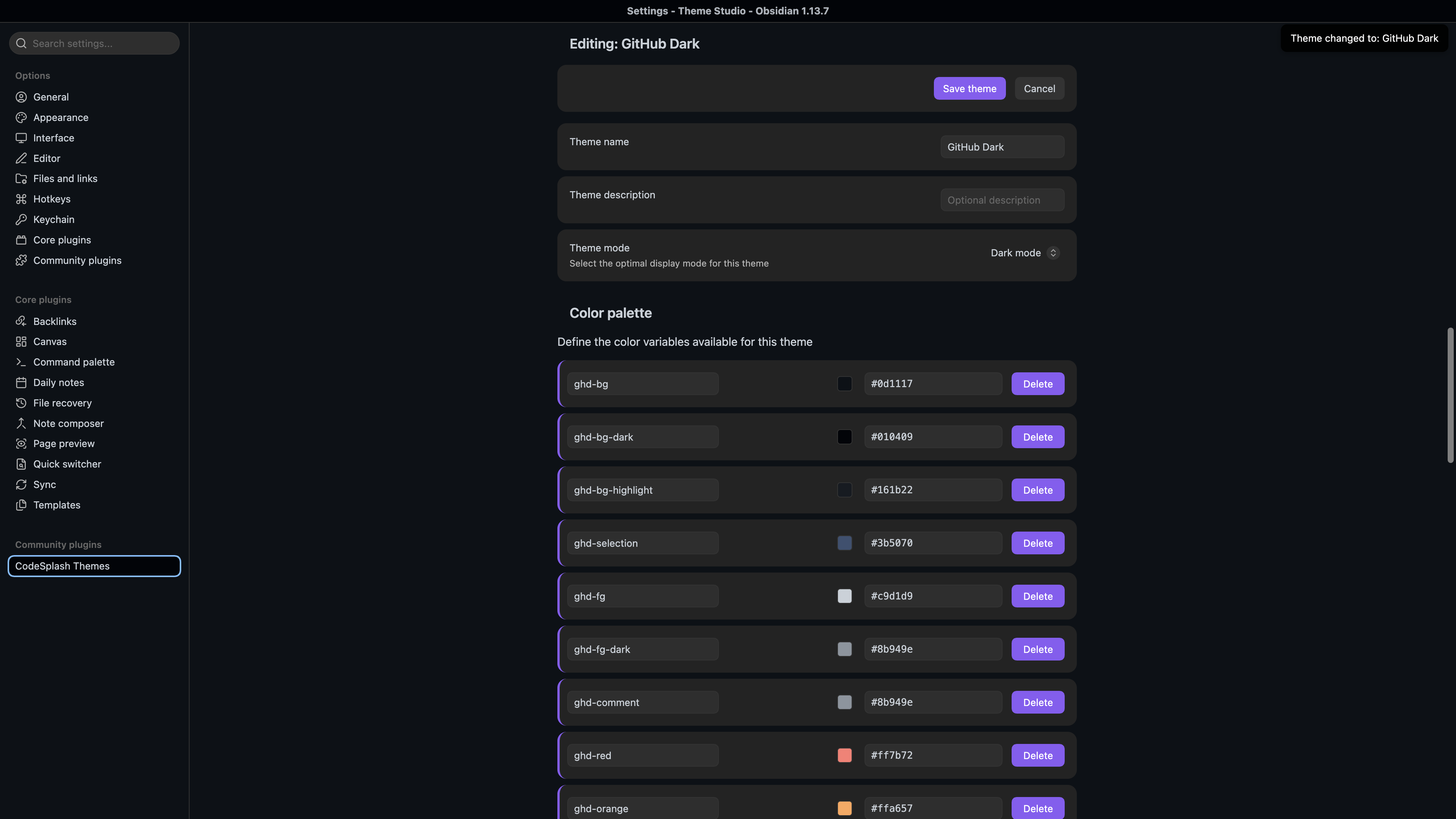
Edit the GitHub Dark color palette in the native theme editor · View native 4K image
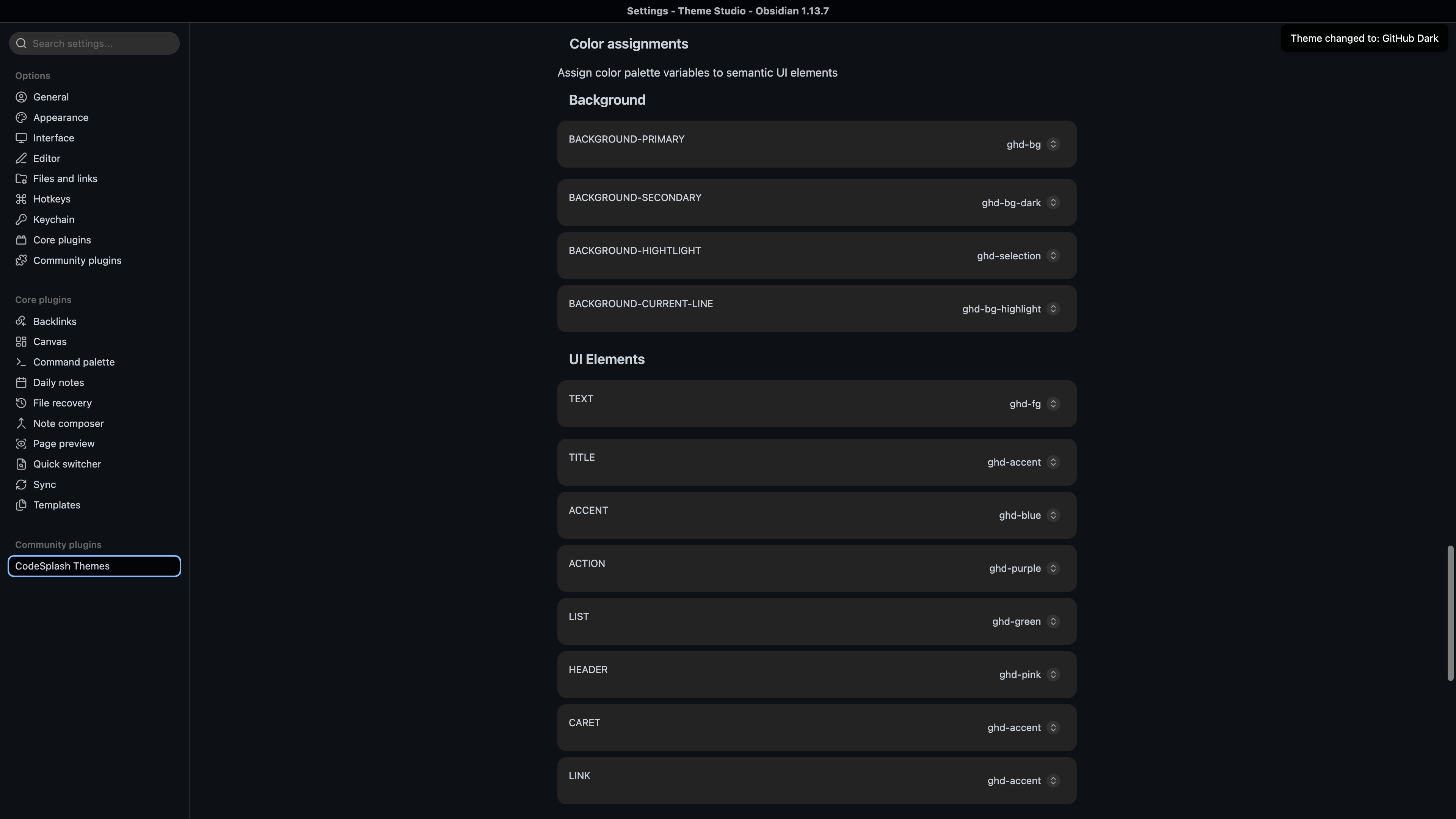
Assign palette colors to semantic interface elements · View native 4K image
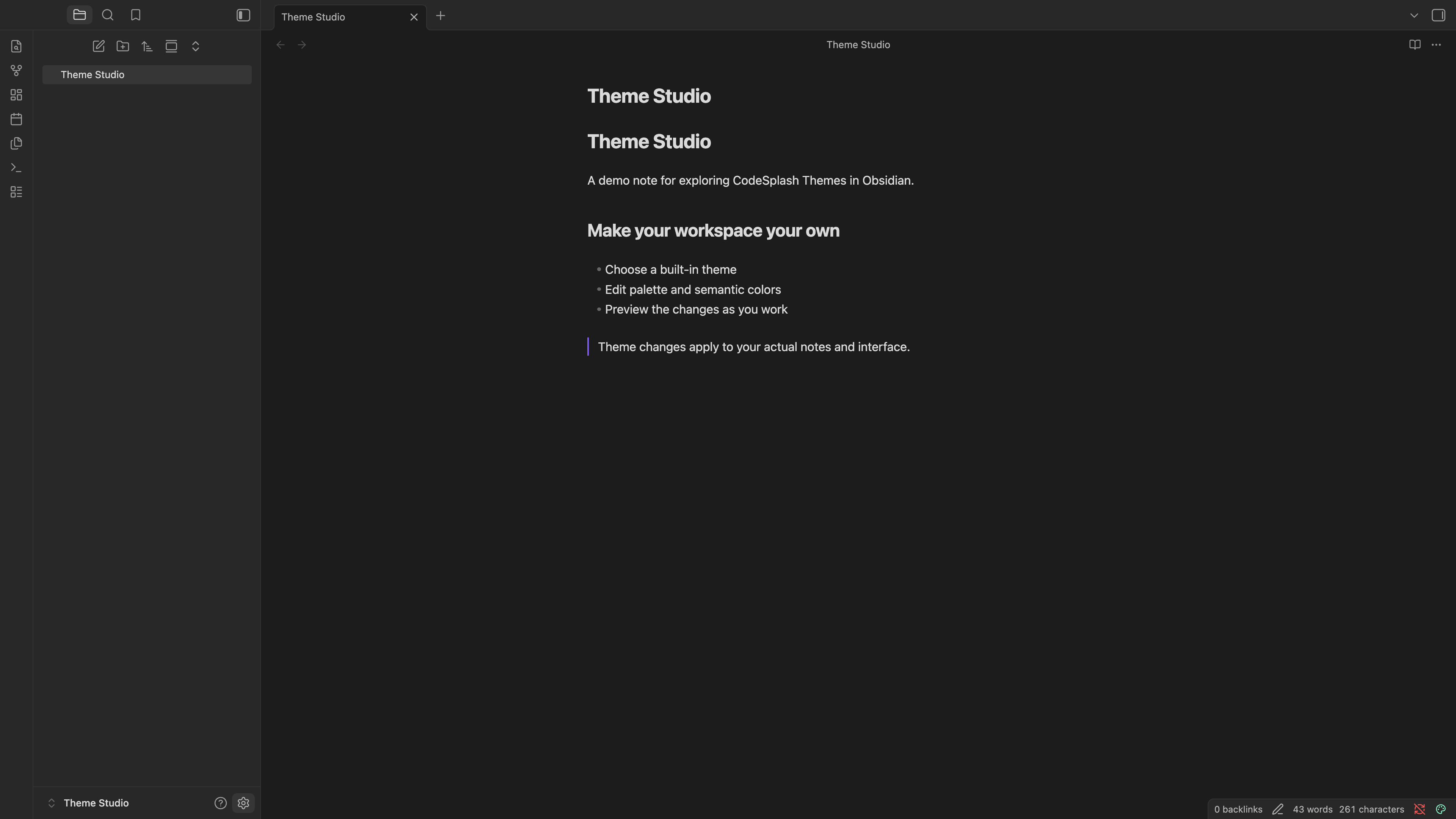
Preview the selected GitHub Dark theme on a real note · View native 4K image