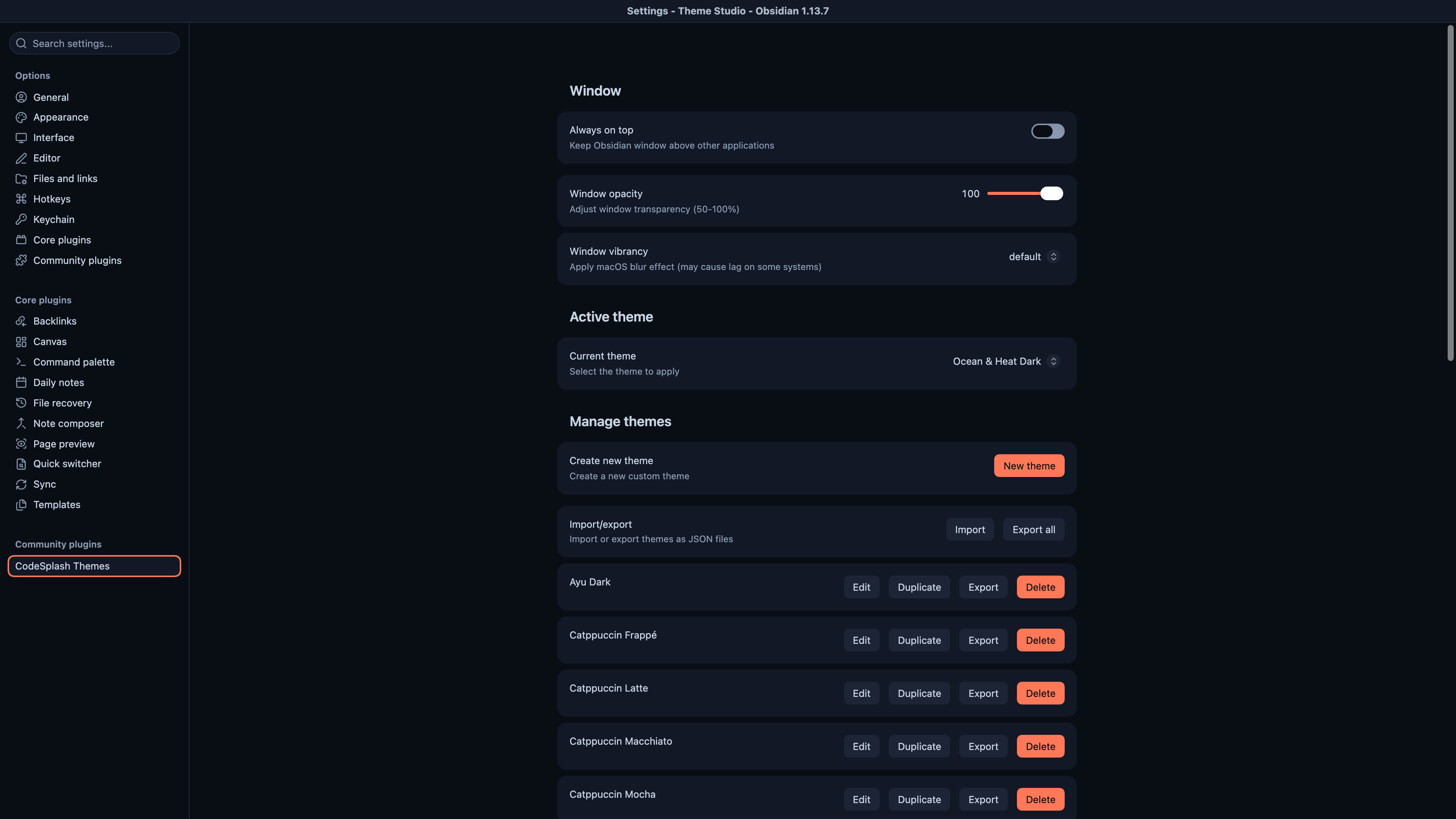
Ocean and Heat land in the built-in selector, with better multi-window theme sync
CodeSplash Themes 1.0.3 is a small patch with a change you feel right away if you use multiple Obsidian windows: theme switching now carries across separate native windows more consistently.
Before this release, a theme change could leave different parts of Obsidian on different palettes. Notes might update, while Settings or another window kept the old colors. In 1.0.3, the selected palette applies across the main notes view and separate native Obsidian windows, which makes theme switching behave like one action again instead of a partial refresh.
That fix ships alongside two new built-in themes: Ocean and Heat. Both are available in dark and light variants directly in the built-in theme selector.
What shipped
Ocean and Heat are now built-in
Ocean and Heat are now part of the built-in theme selector, so you can pick them directly instead of working around unfinished setup.
Both themes ship in:
- Dark variants
- Light variants
If you like switching palettes quickly, this matters more than it sounds. Built-in themes are faster to compare, easier to keep in your normal workflow, and they behave like the rest of the presets already in the plugin.
Theme changes now follow you across separate windows
The main behavioral fix in 1.0.3 is how CodeSplash Themes applies the active palette across Obsidian’s native windows.
The plugin now tracks the relevant documents for the main app and separate windows, then applies the selected theme to each one. In practice, that means:
- Switching themes in one place updates the main notes view
- Separate native Obsidian windows pick up the same palette
- Old palette values are cleared more consistently during a switch
This is the part of the release that should help most if you keep Settings open on another display, use popout windows, or move between different windows while tuning a theme.
Settings now matches Ocean and Heat more closely
1.0.3 also extends the Ocean and Heat palette into native Settings controls.
That includes styling for:
- Accents
- Sliders
- Toggles
- Form fields
The result is a closer match between the active Ocean or Heat palette and the controls you interact with in Settings. This is not a broad claim about every built-in theme or every native control in the plugin. The explicit work in this release is for the Ocean and Heat palette mapping.
If you open Settings after switching to Ocean or Heat, the palette should feel more complete instead of stopping at the note view.
What got fixed
Two theme consistency issues drove this patch:
- Theme changes not applying consistently across native Obsidian windows
- Cases where notes and Settings could show different palettes after switching themes
Those problems are subtle, but they make a visual tool feel unreliable. If the selected theme does not fully propagate, you end up second-guessing whether the switch actually worked or whether one window is still carrying stale variables.
This release focuses on making that state predictable again.
Existing theme selections stay intact
Another useful detail: updating to 1.0.3 keeps your existing saved theme selection intact.
That matters because a patch release should not force a reset just to add new presets or tighten up palette application. If you already have a preferred setup, the update is meant to preserve it.
Why this patch matters
This is not a broad redesign. It is targeted polish around the parts of theming that get noticed immediately:
- New built-in presets you can actually select
- Better palette coverage in Settings
- More reliable theme behavior across separate windows
For a plugin that lives in the visual layer of Obsidian, these details matter. A new theme only feels finished if it carries through the parts of the app you actually touch, and a theme switch only feels correct if every open window agrees on the result.
Verification work behind the release
The 1.0.3 changes were checked with both tests and a production build before release. The release also adds automated coverage around the cross-window theme behavior, specifically the case where switching themes should update notes and Settings windows and remove old palette values everywhere.
That does not change how you use the plugin day to day, but it does matter for a release like this, where the bug sits in state propagation rather than in a single visible control.
Try 1.0.3
If you use multiple native windows, or if you want Ocean and Heat as real built-in options, 1.0.3 is worth installing. You can get CodeSplash Themes from the downloads page.
Try Ocean or Heat in dark and light variants, open Settings or a separate window, and reply with feedback.
Feature screenshots
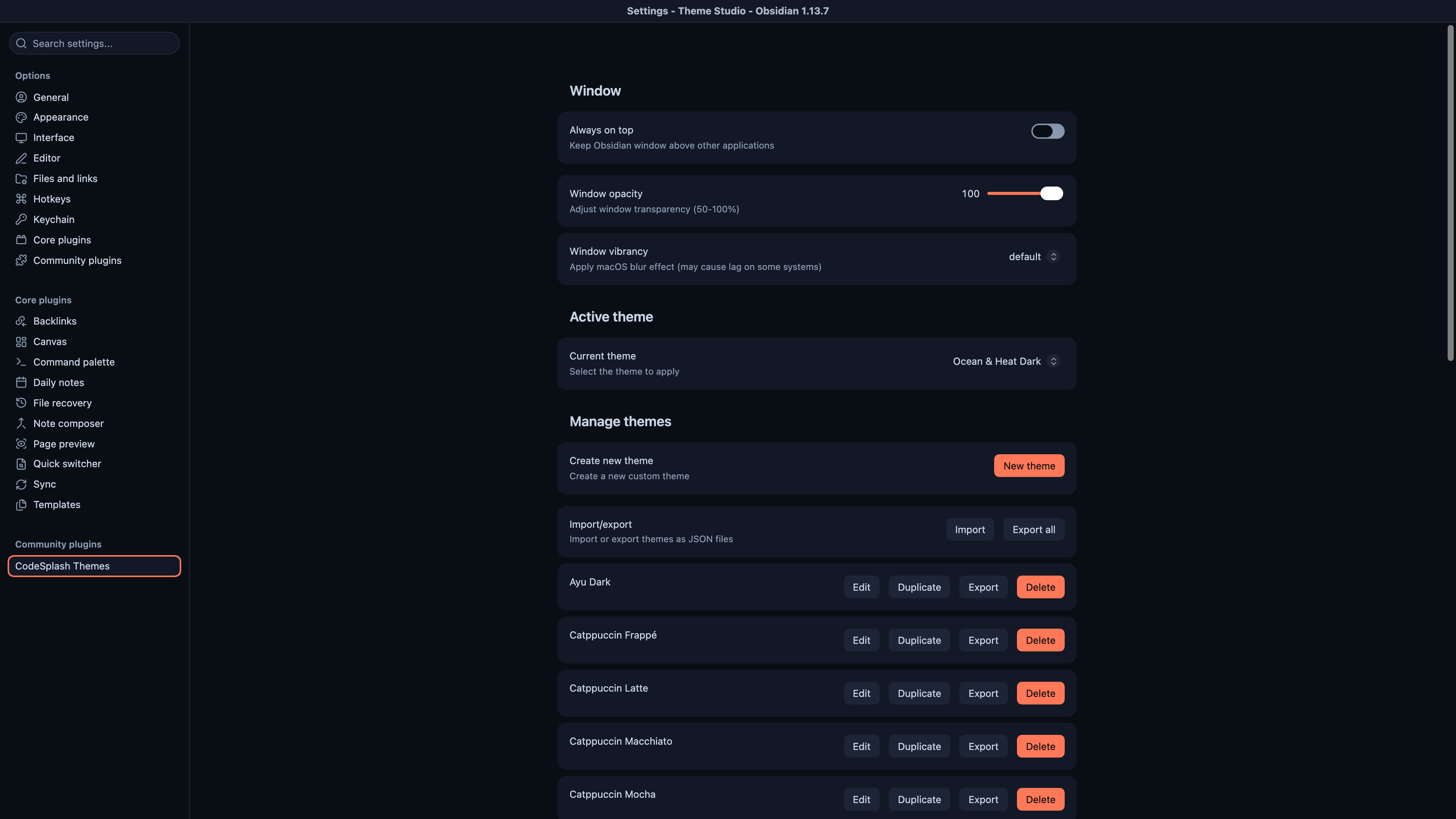
Choose and manage themes in the actual Obsidian settings · View original full-resolution image