Which workflow fits your day?
Choose CodeSplash when you want agent sessions beside dedicated tools for editing, Git review, terminals, browsing, API requests and databases. You can try the workspace with your existing repository and supported AI accounts.
Consider Cursor when an editor-centered workflow, integrated agent tools and coordinated coding projects are your priorities.
What Cursor does well
- Its agent can edit files, search, run terminal commands and use a browser.
- Projects can coordinate work across agents, alongside rules, skills and other customization.
Side-by-side comparison
| Topic | CodeSplash AI | Cursor |
|---|---|---|
| Workspace focus | Agents, editor, Git, browser, API and database apps share one desktop. | An agent-driven editor with tools for code, terminal and browser work. Source ↗ |
| Larger tasks | Run supported agents and review their work using integrated apps. | Projects can use a coordinator and delegated agents for broader coding work. Source ↗ |
| Review and recovery | Review repository changes in the dedicated Git app and run project checks. | Agent checkpoints support restoring earlier file states during a task. Source ↗ |
| Evaluation | Try the free app tier with your supported agent accounts. | Compare current agent allowances, model choices and plan terms on Cursor’s pricing page. Source ↗ |
Tradeoffs to consider
Cursor is a capable agent environment, not merely autocomplete. Compare how each product handles the entire edit, run, inspect and review cycle.
Existing editor shortcuts and extensions may be decisive. Test your real project before changing the tool you rely on daily.
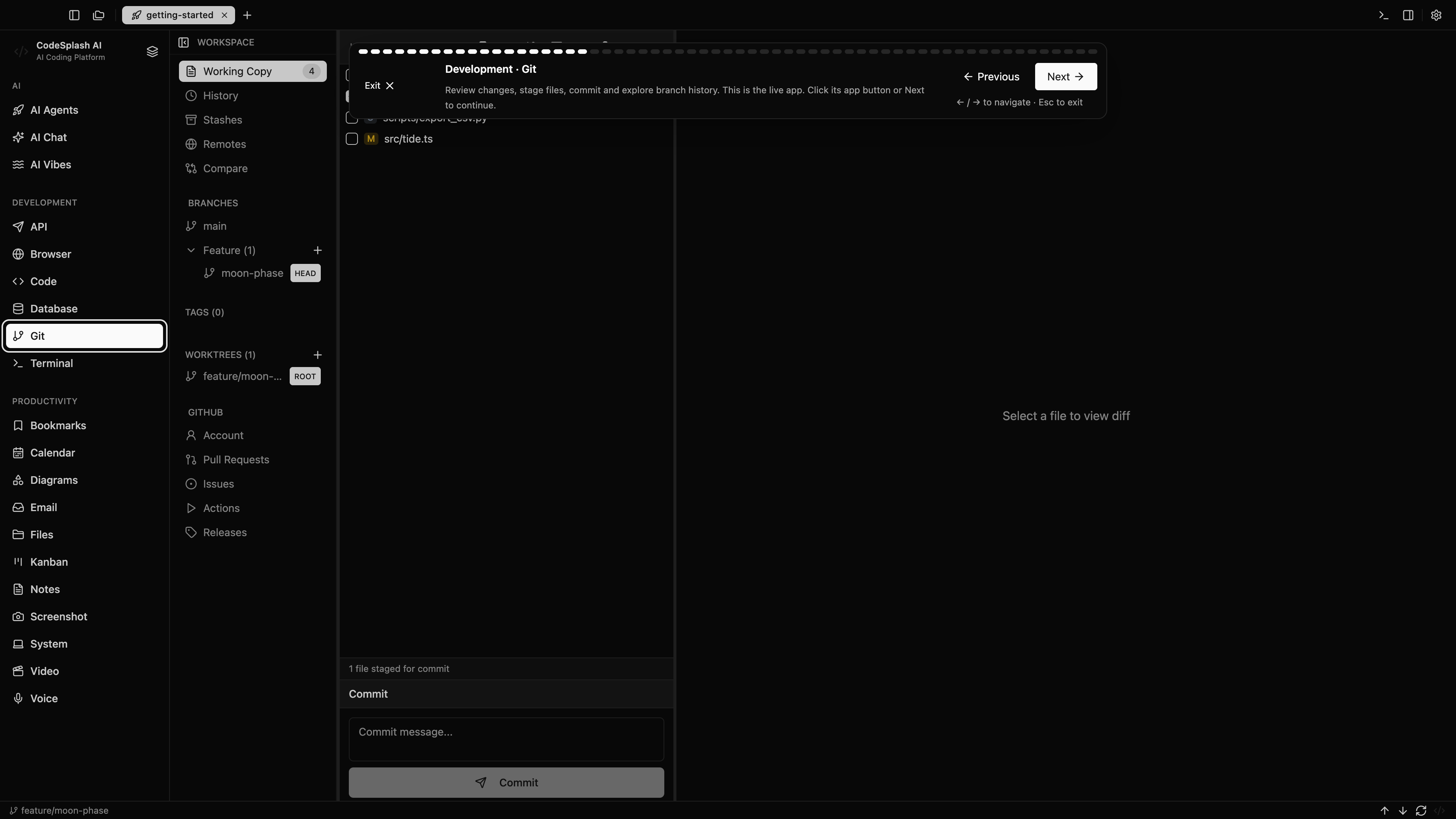
Try the same task in CodeSplash
- Open a familiar repository in CodeSplash without removing your Cursor installation.
- Choose a supported agent and use a separate branch for a small change.
- Compare code review, tests, browser behavior and any API or database work.
- Keep Cursor for workflows or extensions that you still prefer.
Read the product documentation, check supported agent integrations, or see recent releases.
Questions before switching
Does Cursor support agents and coordinated projects?
Yes. Its current documentation describes agent tools and Projects that coordinate and delegate coding work.
Do I need to abandon my editor to try CodeSplash?
No. Start with one repository task. Evaluate the integrated apps alongside your existing editor before deciding what to change.
Sources and scope
This comparison is written by CodeSplash. The workflow recommendations are our assessment; competitor facts link to their official sources. Features and plans can change, so check those pages before buying.